

An outtake from Sunday School: Drop In, Vibe On.
In this session, Eleanor Berger introduced MDFlow, a tool she discoveredrecently. MDFlow enables developers to create reusable “recipes” — markdown-based prompts that can be executed with various AI agents directly from the terminal.
“What MDFlow does is it kind of lets you create these recipes, these commands that are written in markdown — essentially prompts — and run them with any one of the many different agents that are available.”
The tool currently supports Claude, Copilot, OpenCode, Gemini, and potentially others. Eleanor acknowledged that while terminal-based workflows aren’t for everyone, MDFlow demonstrates the power and flexibility that command-line environments can offer.
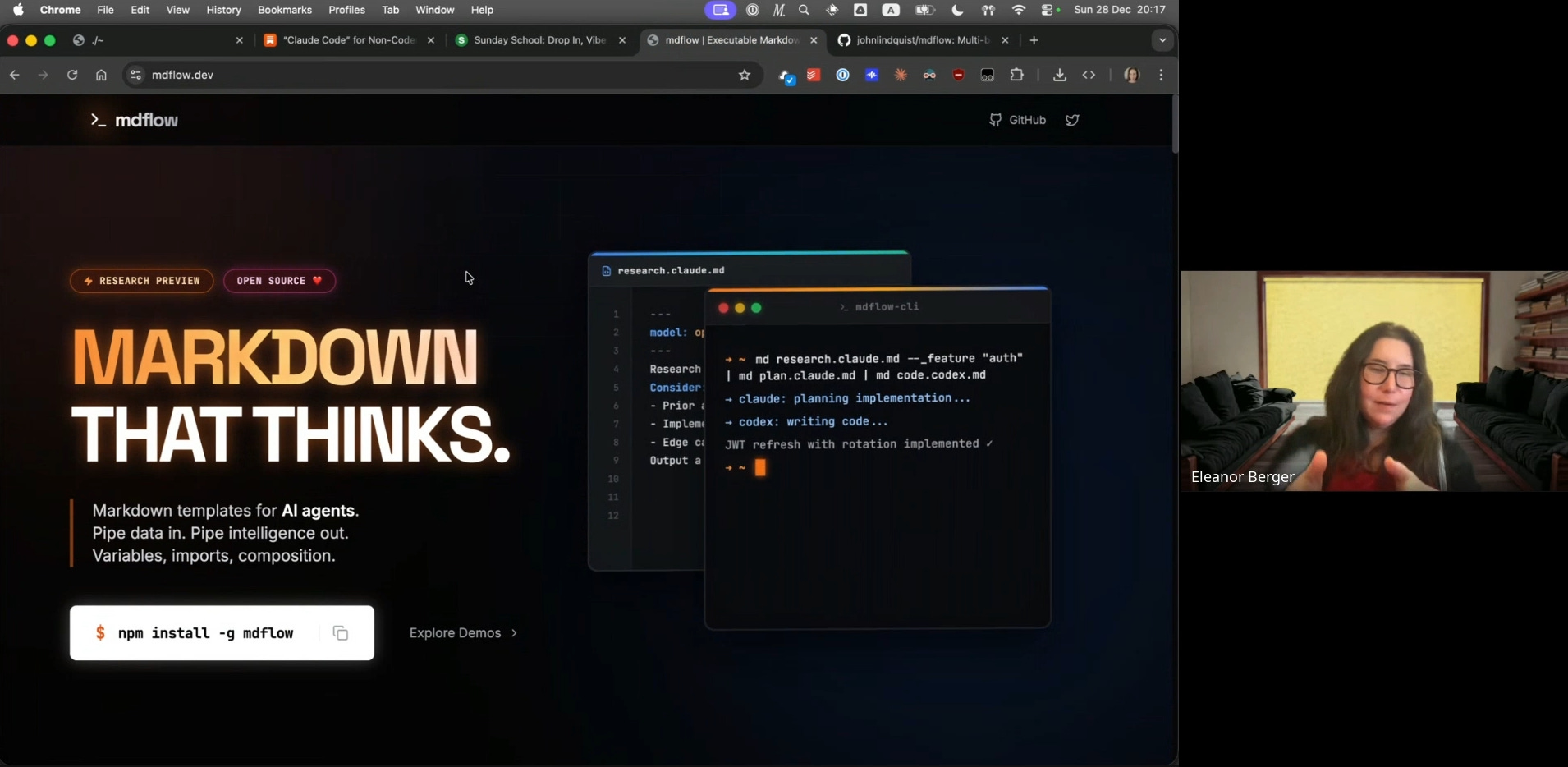
The Core Concept
MDFlow’s approach is straightforward: each recipe is a markdown file where the filename follows the pattern command.agent.md. For example, poem.claude.md would be a recipe called “poem” that runs with Claude. This naming convention is intentional.
“He’s not trying to create a system that sort of abstracts the different agents and how they work. The assumption is that every agent is a little bit different. It has different parameters, and you are specifying explicitly which one you’re using.”
Eleanor explained that you can think of MDFlow recipes as external versions of the slash commands found in Claude Code, Codex, or Copilot — commands that live on your filesystem and can be invoked directly.
A Simple Example: Generating Poetry
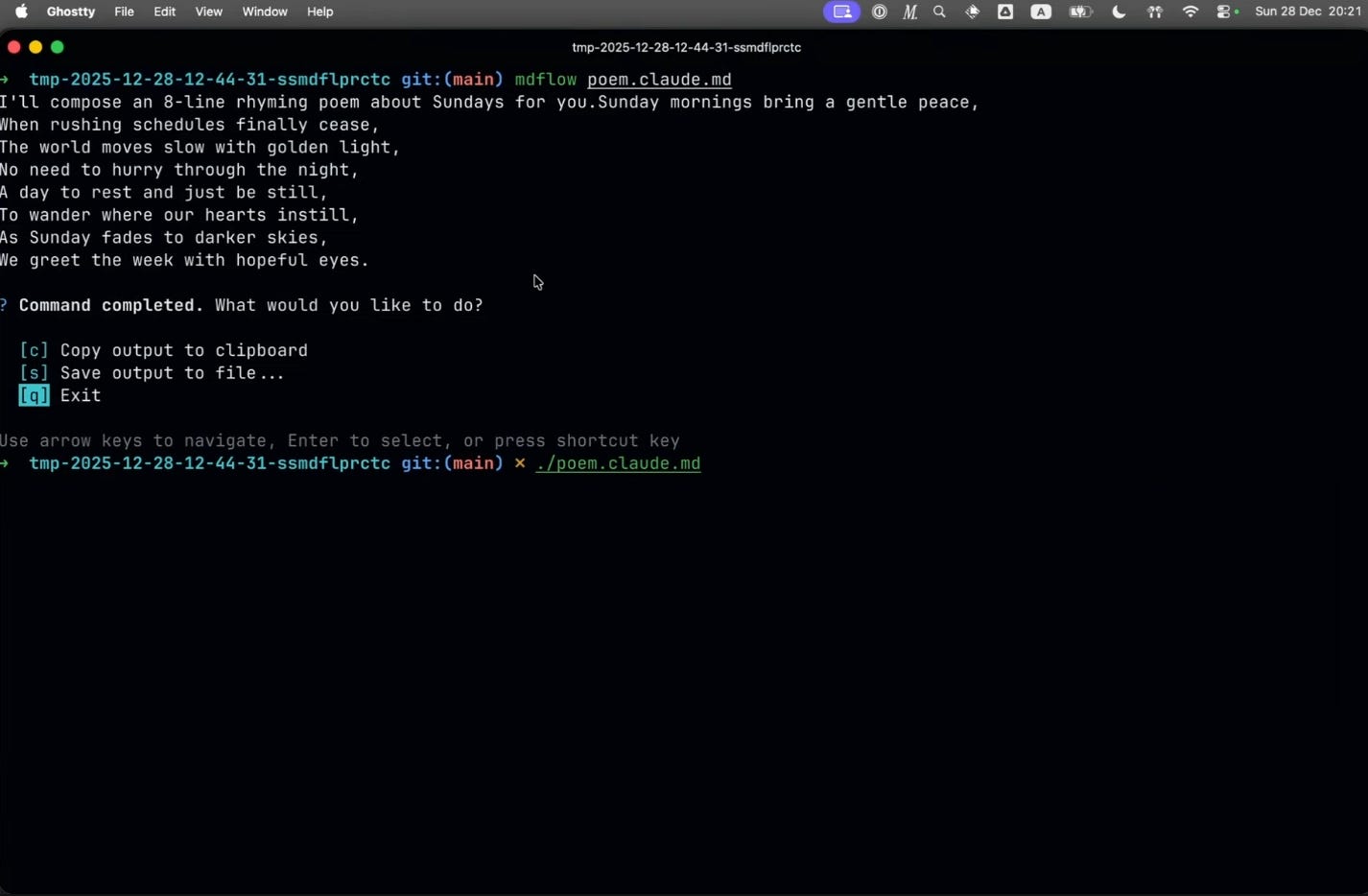
The first demonstration was a minimal recipe that generates a short poem. The markdown file contained just a few lines of instruction, and Eleanor ran it by simply executing the file as if it were a script:
$ mdflow poem.claude.mdThe result appeared quickly, followed by a menu offering options to copy the output to clipboard, save to a file, or quit. Eleanor had configured her terminal to run .md files directly with MDFlow, eliminating the need to type mdflow explicitly.
Passing Parameters
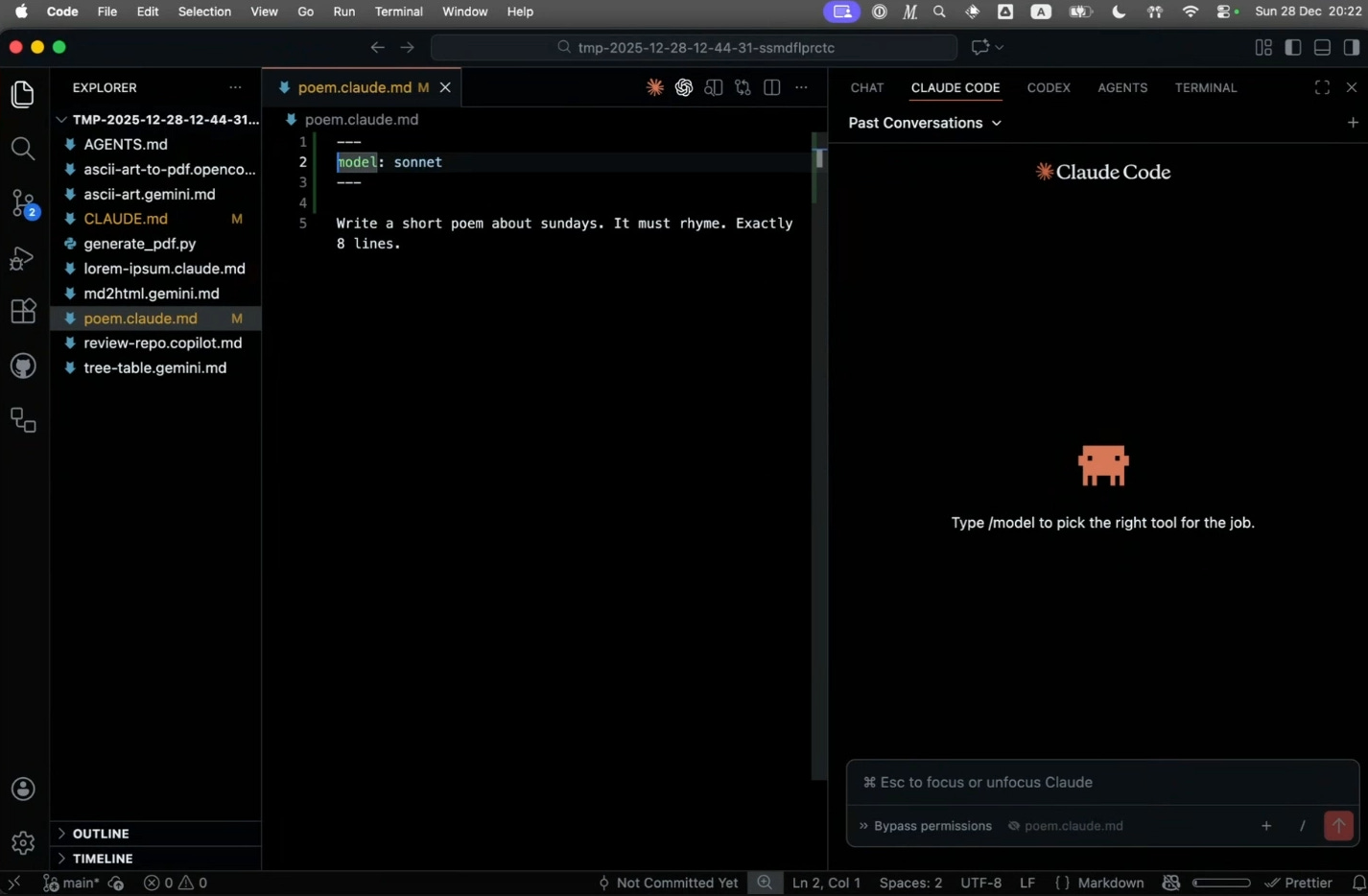
MDFlow supports front matter for configuration. Eleanor showed how to override defaults — for instance, switching from haiku (a fast, inexpensive model) to sonnet for more sophisticated output:
---
model: sonnet
---
“This bit here doesn’t do anything other than passing model equals sonnet to Claude when I run it.”
Command Arguments and ASCII Art
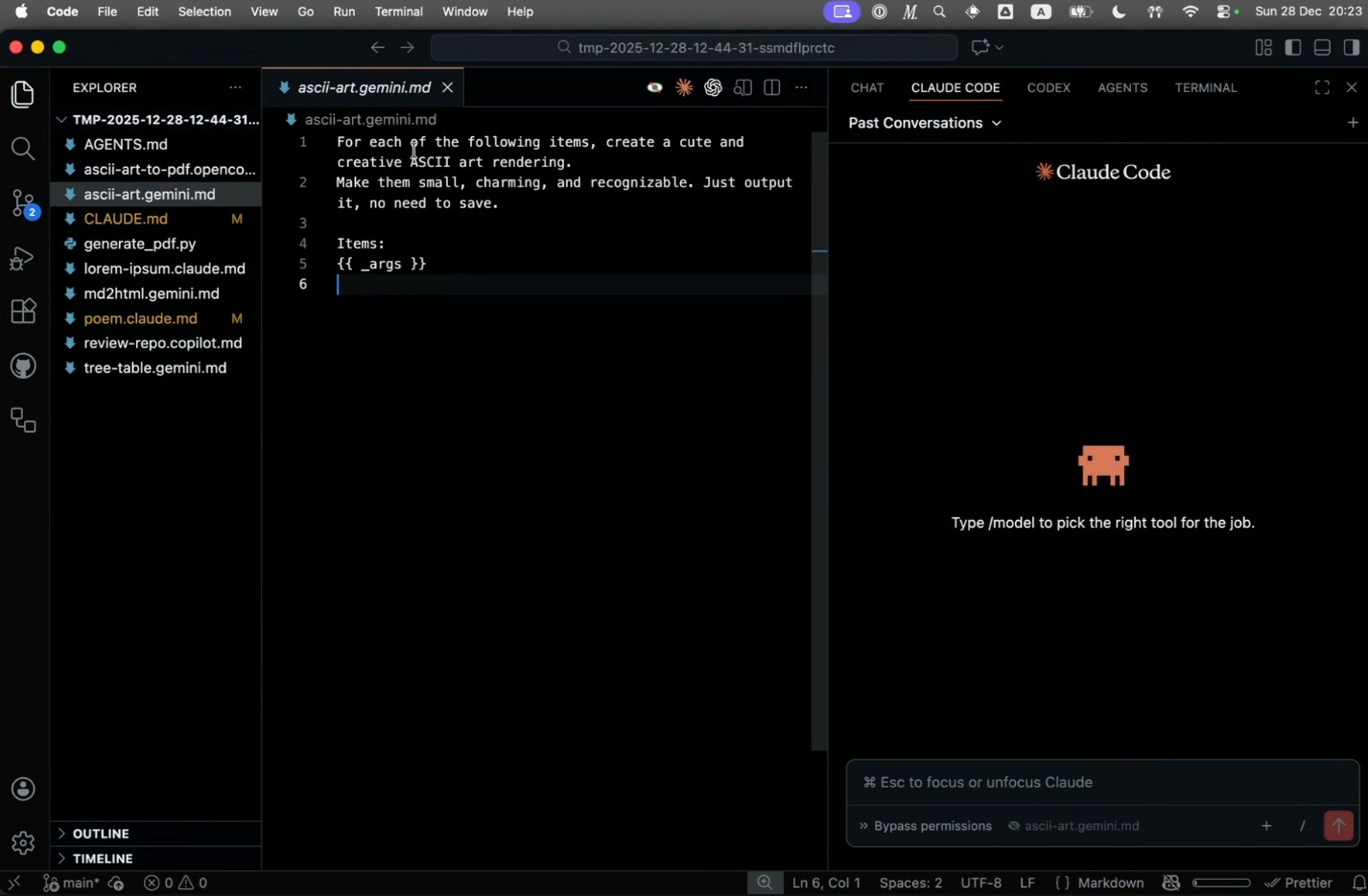
The next example used Gemini to generate ASCII art. The recipe accepted command-line arguments using a special syntax, allowing Eleanor to pass different words to the same recipe:
“I kind of made a command out of it that can take arguments on the command line. That can be very useful if you are repeating a command again and again just with different arguments.”
She noted that Gemini 3 Flash is a strong option for tasks like this — fast, capable, and generous with free usage even without a paid subscription.
Invoking Claude Code Skills
Eleanor demonstrated that MDFlow can invoke skills already available in your agent. She has a custom skill for generating lorem ipsum placeholder text (which, she noted, is more complicated than one might expect). The recipe simply instructed Claude to invoke the skill:
“Claude will identify that it should invoke this skill, which will in turn call a script that generates the placeholder text in a particular format and distribution for me.”
This composability is key: anything your agent can already do can be triggered through an MDFlow recipe.
Incorporating Shell Command Output
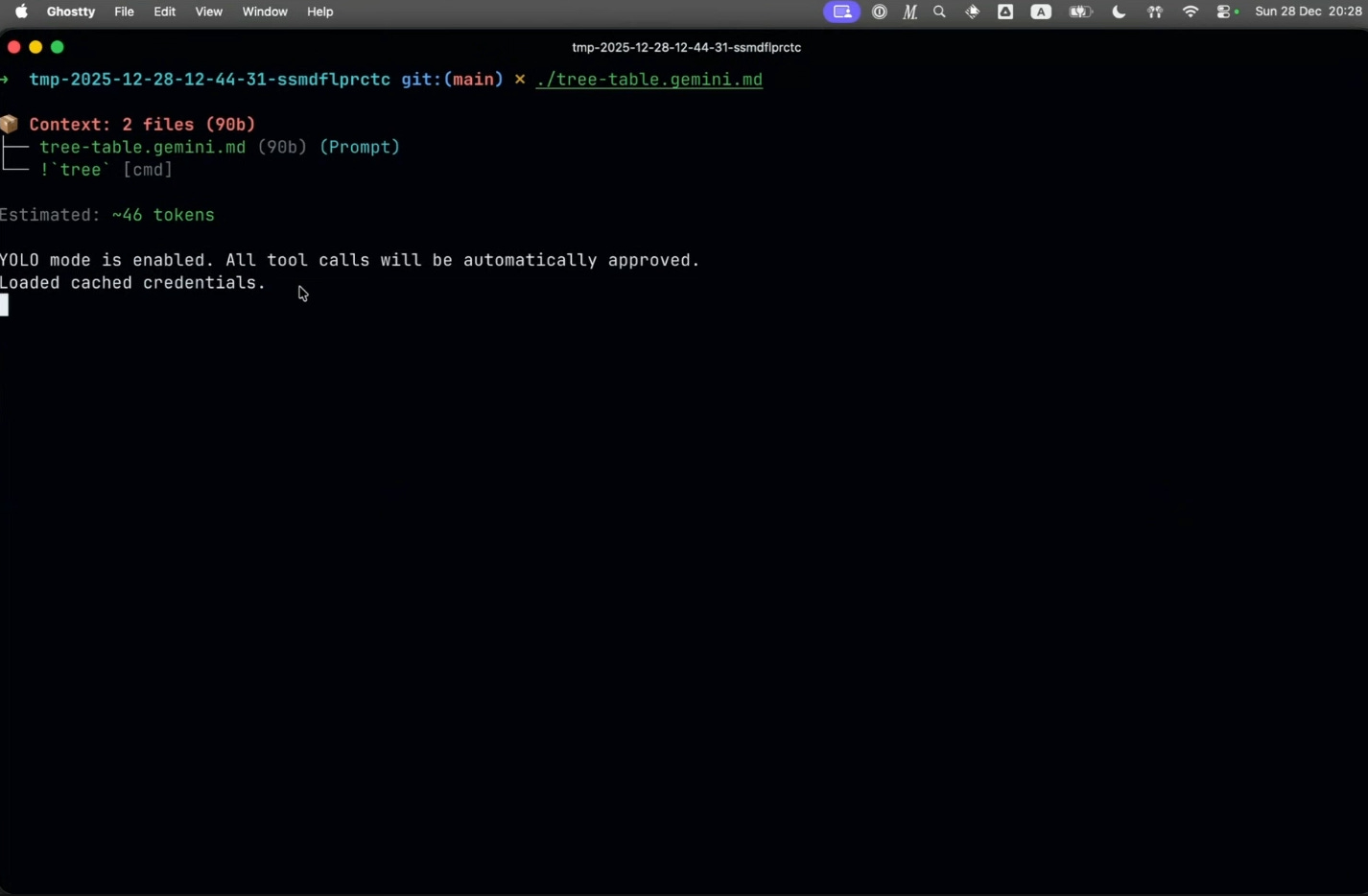
One of MDFlow’s more powerful features is the ability to run shell commands and incorporate their output into the prompt context. Eleanor demonstrated this with a recipe that runs the tree command and asks the agent to format the directory listing as a markdown table.
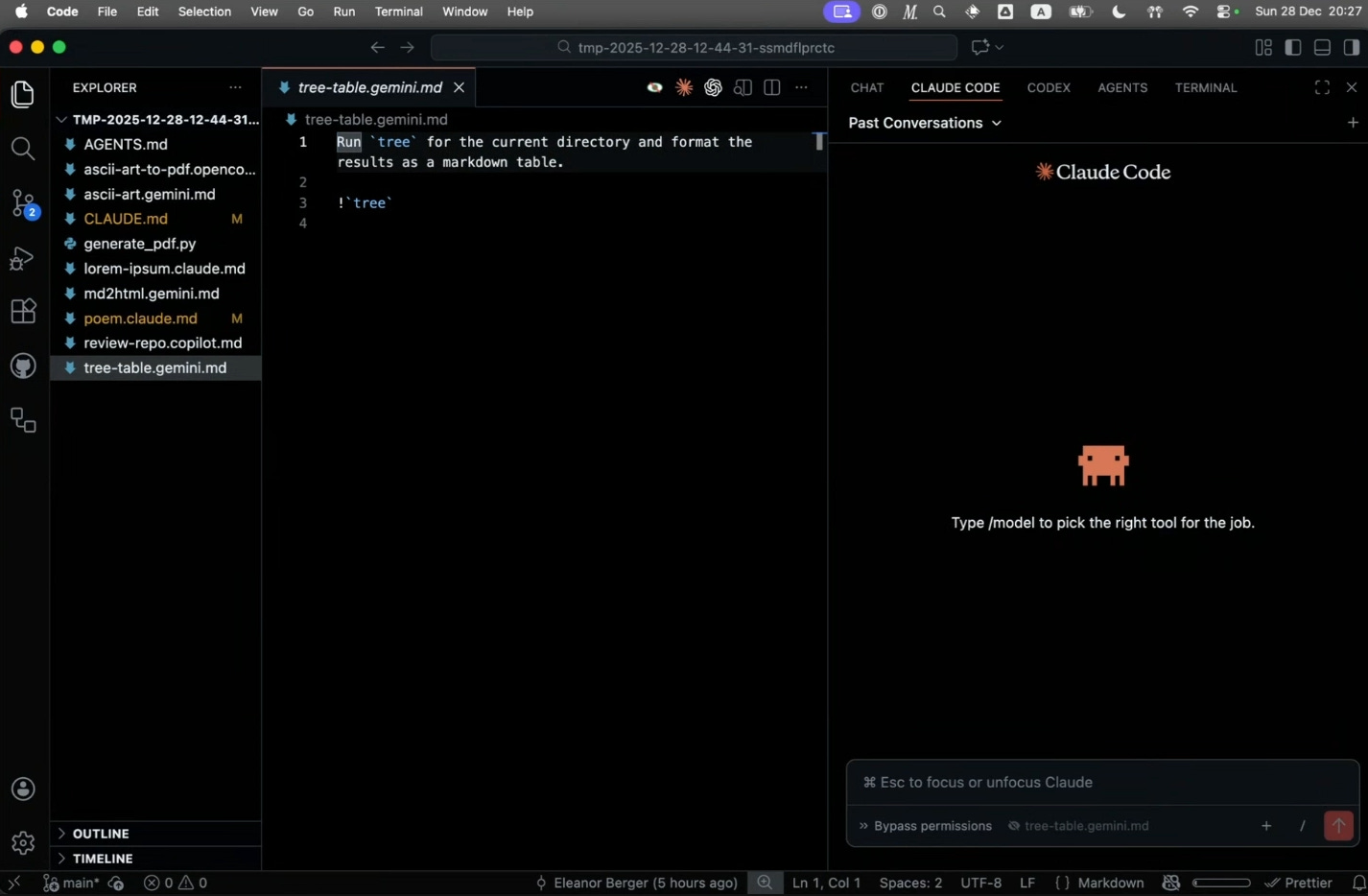
“We are running the tree command just to look at files in the directory, and we’re asking the agent to format it with a nice markdown table. What we do here is we’re actually invoking the tree command and adding the output to the context.”
The agent received both the original prompt and the command output, then generated the formatted table.
Piping and Composition
MDFlow supports standard Unix piping. Eleanor created an md2html.md recipe that reads markdown from standard input and converts it to HTML with specific styling instructions. She then composed two recipes together:
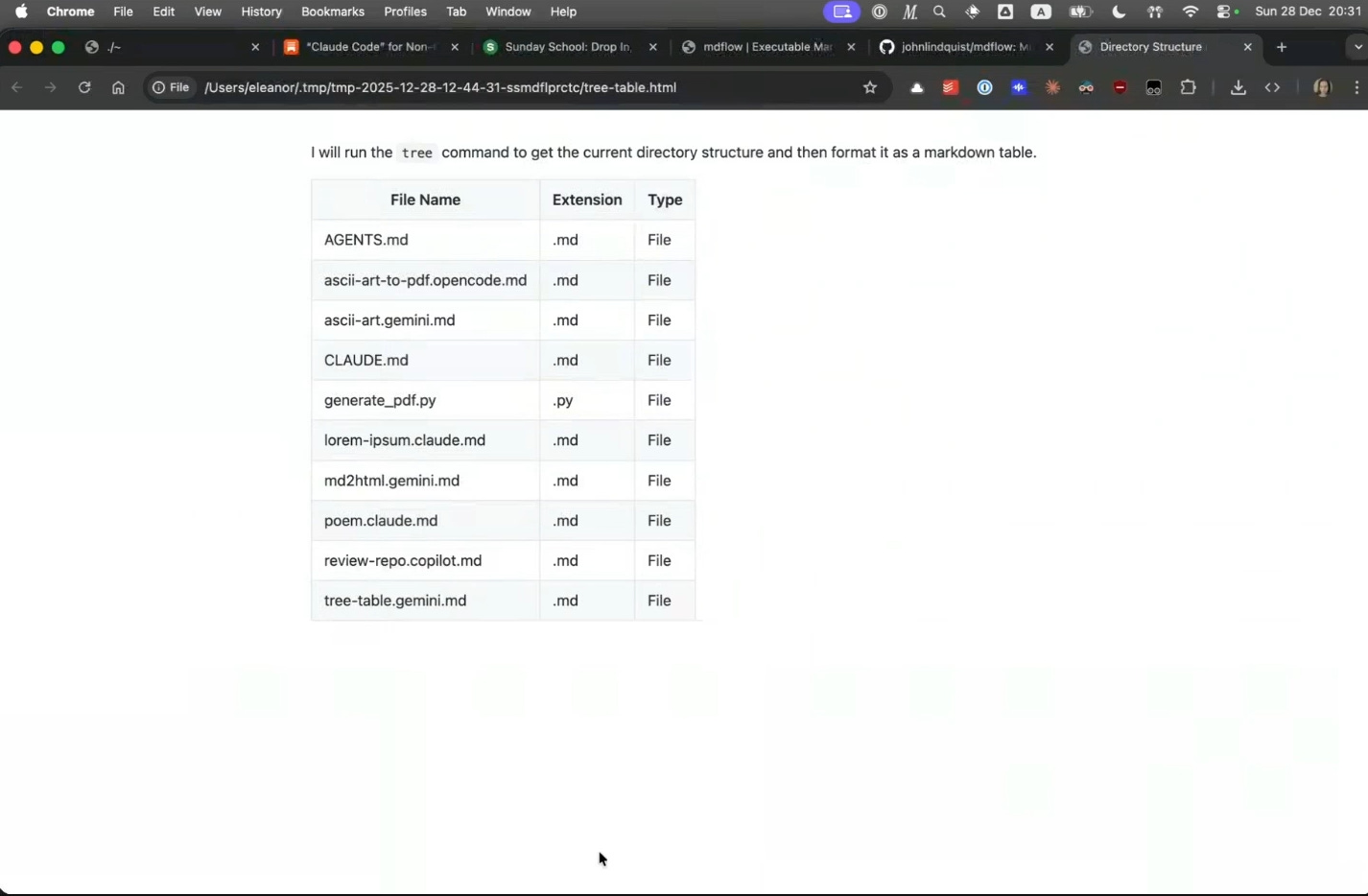
./tree-table.gemini.md | ./md2html.claude.md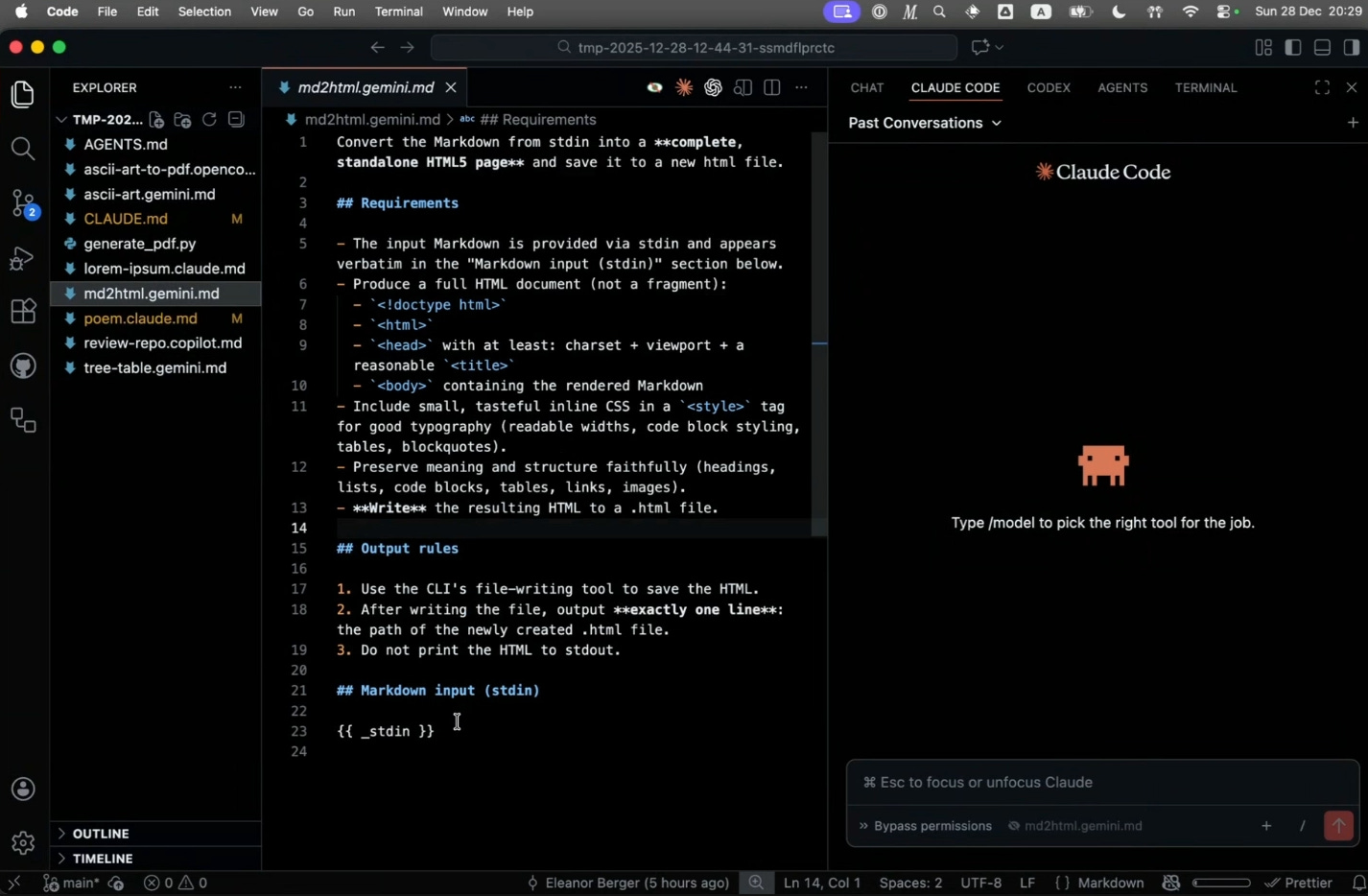
This generated a markdown table with one agent, then piped it to another agent that converted it to HTML and saved the file.
“So what you see here is composability. We can use standard input and standard output and all these basic components of the CLI and create composable commands.”
Repository Review with Copilot
A more complex example demonstrated reviewing a GitHub repository. The recipe used Copilot with GPT-4.1 (described as “ancient history” but fast and free). The instructions told the agent to:
Create a temporary directory
Clone the repository passed as an argument
Review the codebase
Save a markdown summary to a file
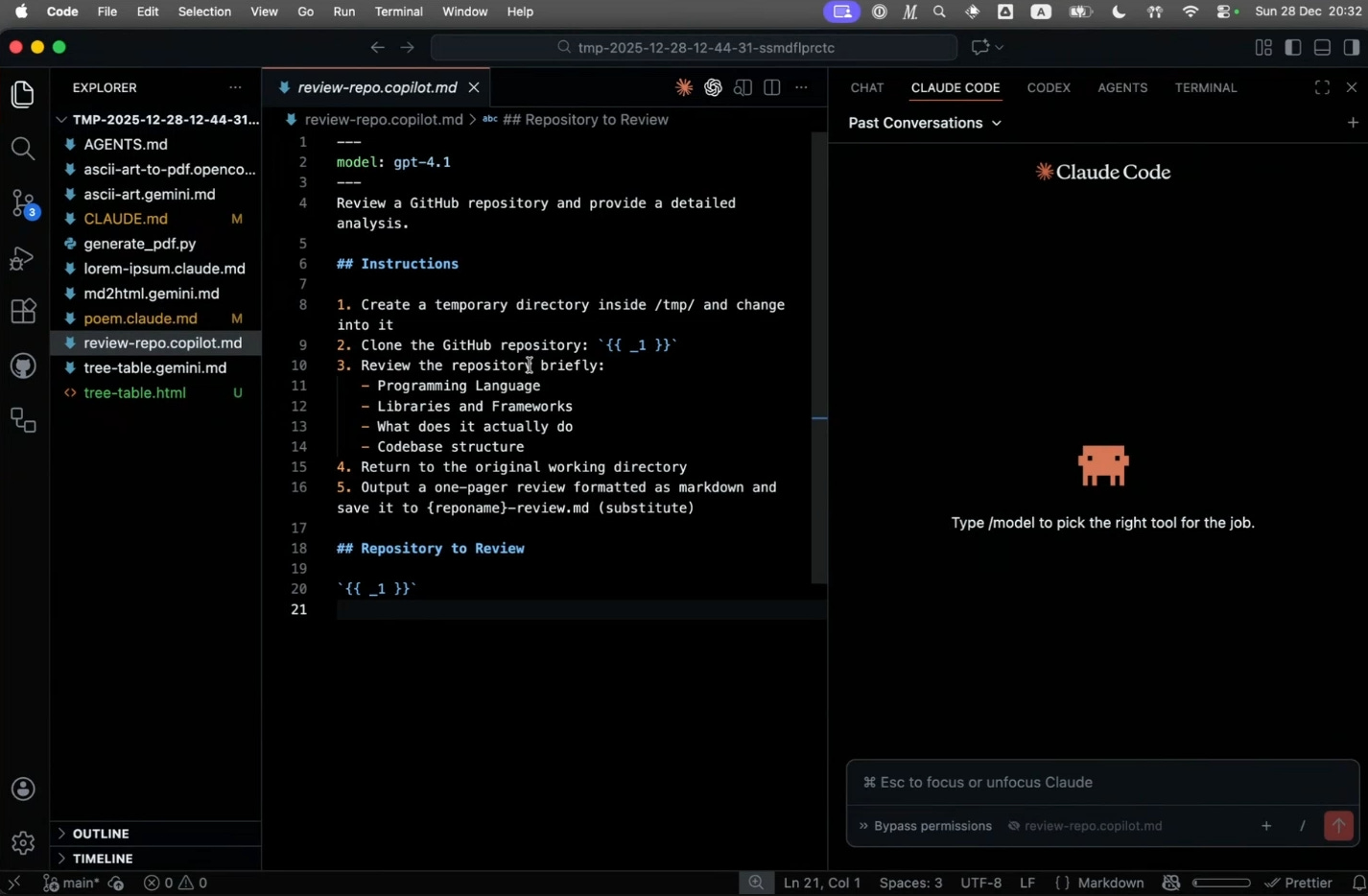
“Obviously, that’s a very simplistic review by, by now, ancient and elegant model, but this could be a very thorough review for maybe the branch I’m working on.”
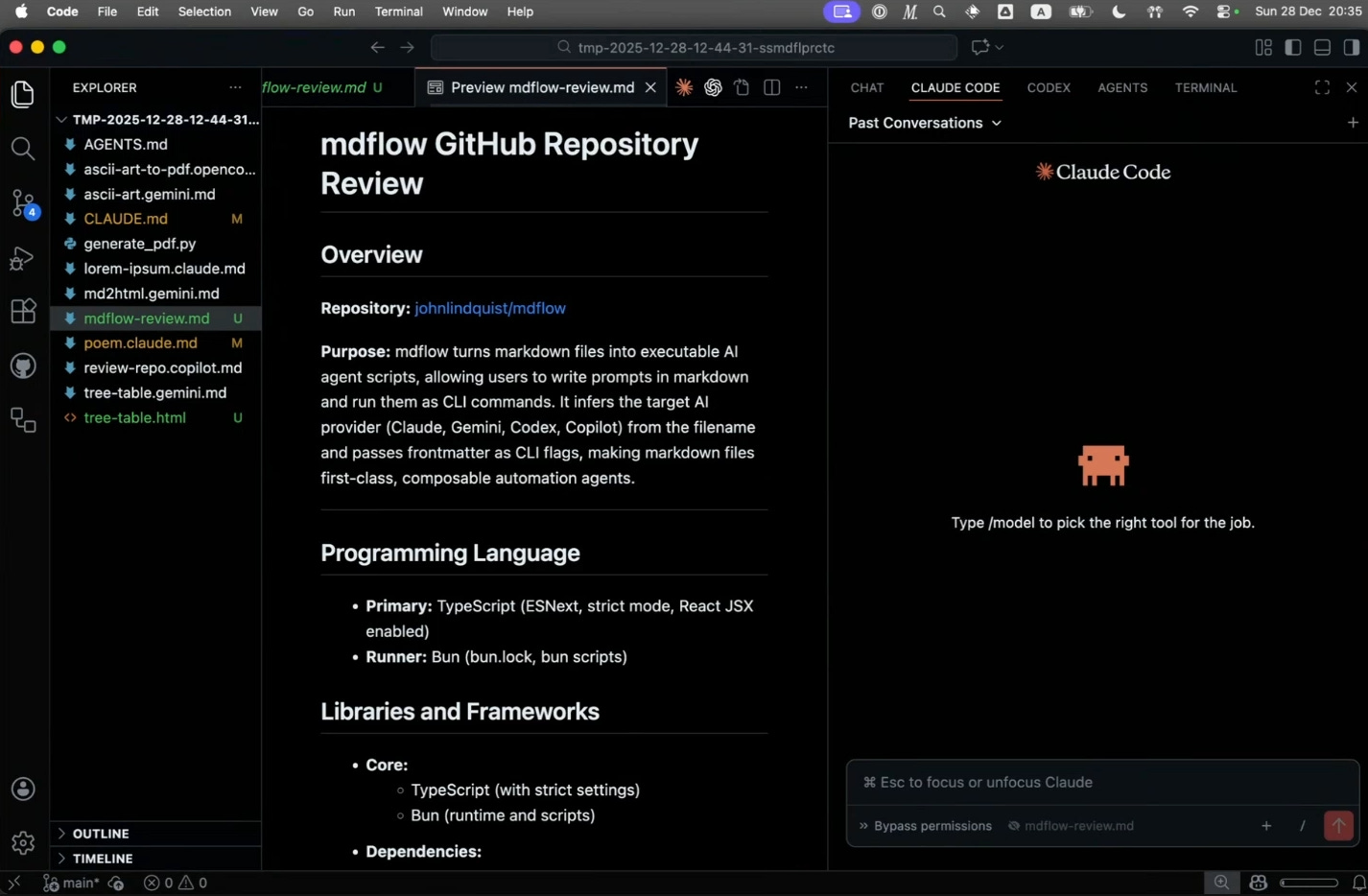
The recipe completed quickly, producing a one-page markdown summary of the repository’s purpose, programming languages, and libraries.
From ASCII Art to PDF
The final demonstration chained multiple steps: generate ASCII art, convert it to HTML, then use pandoc to create a PDF. This ran through OpenCode configured with Gemini 3 Flash:
“It sounds a bit kind of convoluted, but let’s face it, that’s the sort of thing we do all day around, right? We invent for ourselves all kinds of processes like this where we need to create something with this program and then convert it to this other program and then convert it yet again.”
The recipe handled the entire pipeline, demonstrating how MDFlow can orchestrate multi-step workflows.
Configuration Defaults
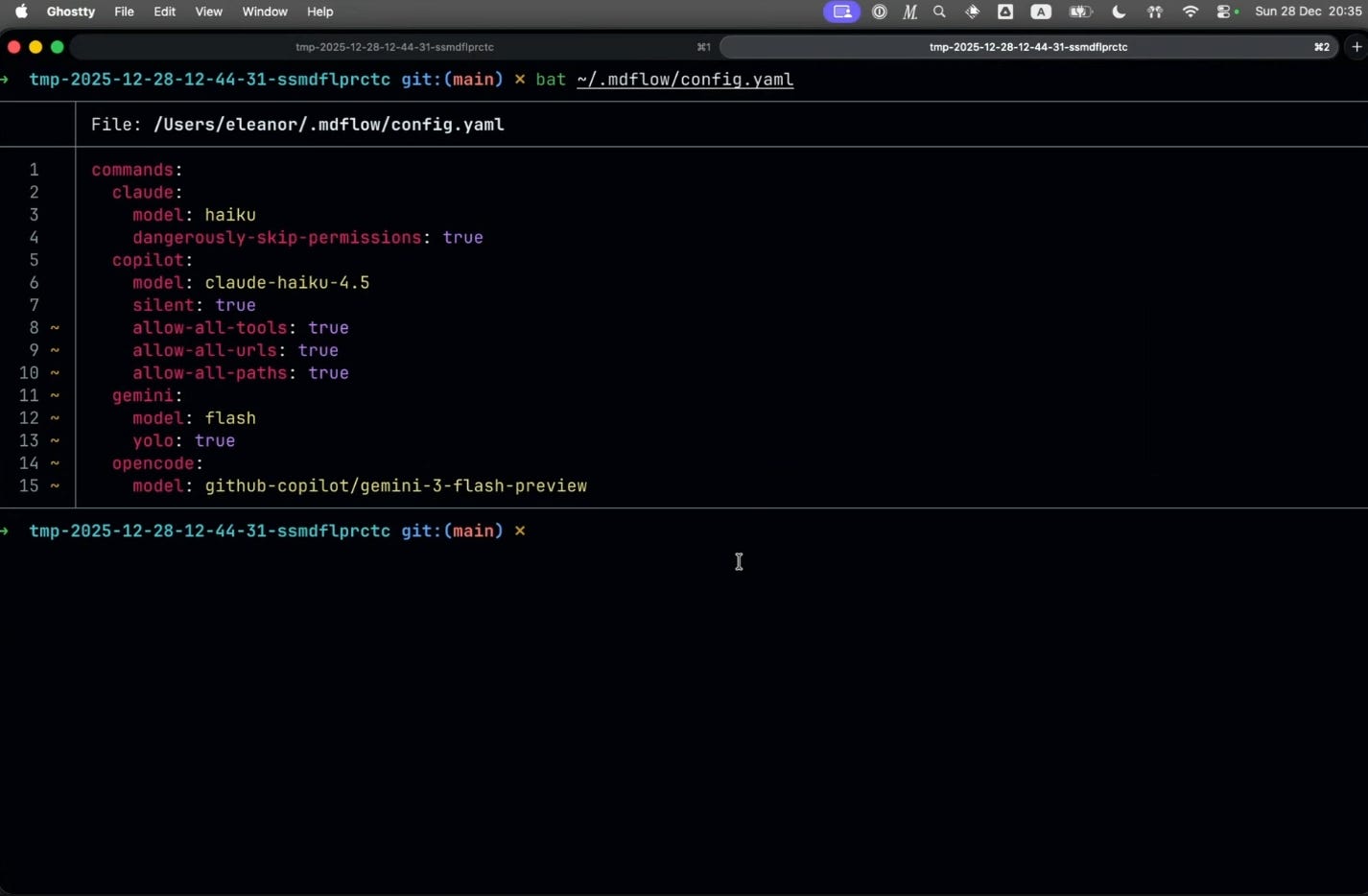
Eleanor shared her default configurations for each agent. For Claude, she uses haiku as the default model with dangerously-skip-permissions enabled. For Copilot, she also defaults to haiku. Gemini uses flash with yolo mode (no permission prompts). OpenCode similarly uses Gemini 3 Flash.
“Every agent has different parameters it will take on the command line, but basically you don’t want to be interrupted.”
Key Takeaways
MDFlow provides a practical way to:
Create reusable prompts stored as markdown files on your filesystem
Work with multiple agents without abstraction — each recipe targets a specific agent
Pass arguments to recipes for flexible, parameterized commands
Incorporate shell command output into prompt context
Compose recipes using Unix pipes and standard I/O
Invoke existing agent skills from the command line
A viewer asked whether MDFlow could work with Copilot subscriptions. Eleanor confirmed it does — she uses it regularly and demonstrated it during the session.
“The same flexibility we expect from our agents, we also get in the terminal environment.”
For those interested in exploring agent workflows beyond IDE integrations, MDFlow offers a lightweight, composable approach that leverages familiar command-line patterns.
Sunday School: Drop In, Vibe On sessions happen every other week on Sunday. They are free and open to all.