

An outtake from Sunday School: Drop In, Vibe On — Jan 25, 2026
In a recent session of “Sunday School: Drop In, Vibe On,” Eleanor Berger walked through OpenCode, an open-source AI coding agent. Proprietary tools like Claude Code and Cursor have dominated, but OpenCode offers a flexible alternative without vendor lock-in.
The Case for OpenCode
Eleanor opened by positioning OpenCode as a serious alternative to proprietary agents. Of all the terminal-based agents available, she considers it the most visually refined — and a genuine competitor to Claude Code. Unlike tools that lock you into a specific ecosystem, OpenCode is a “bring your own model” platform with a polished terminal, desktop, and web interface.
“I’m really excited about open code and I’m using it in basically myself. It’s I would say the most credible opensource answer to cloud code right now. ... one of the things that’s distinct about it is that it is beautiful.”
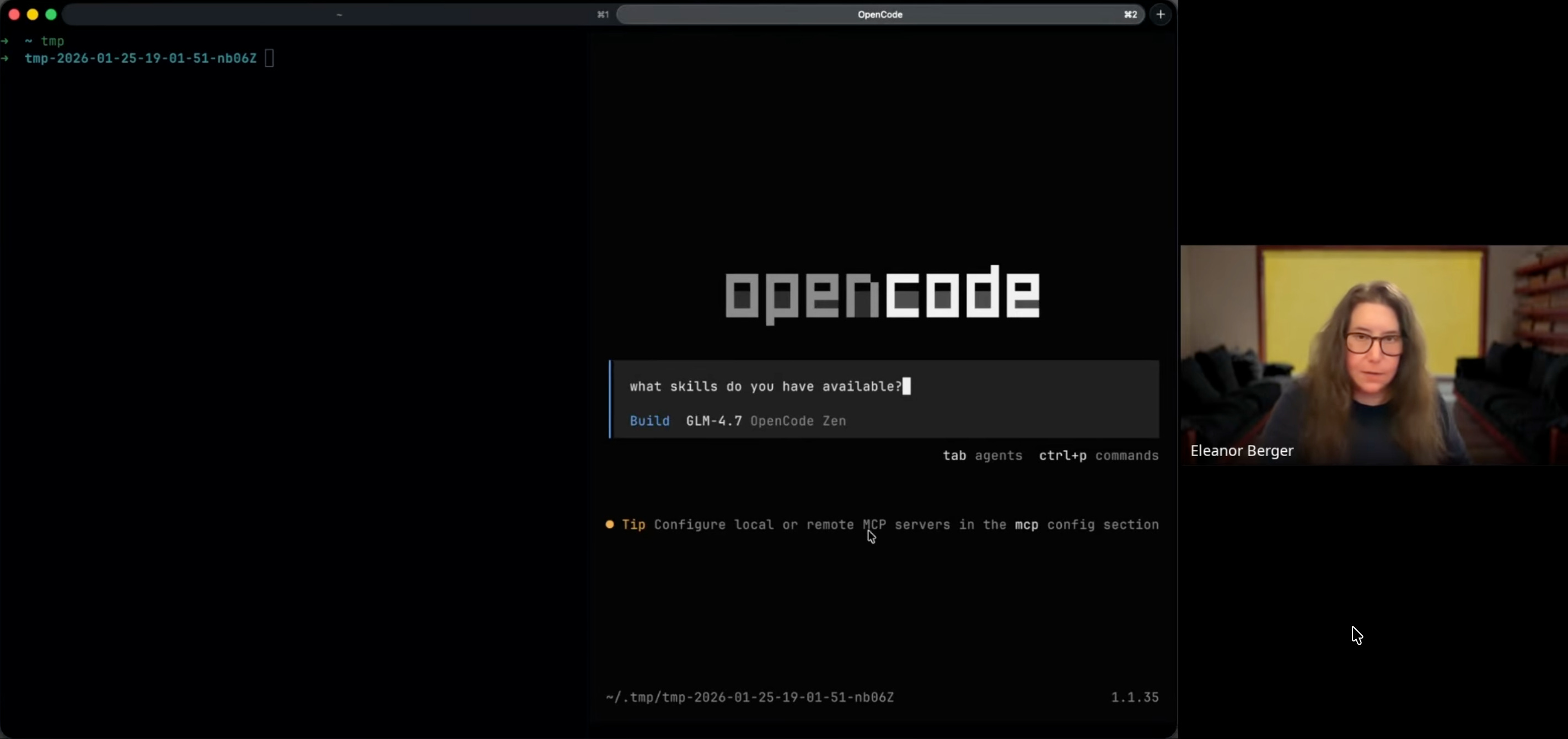
The tool stands out for its flexibility. Users can connect to any backend — a GitHub Copilot subscription, an OpenAI account, OpenRouter, OpenCode Zen, or a local inference server like Ollama.
“The other thing that is worth noticing is that you can really connect it to anything. ... So I have my GitHub copilot subscription connected to it. That’s official by the way officially supported. So you’re not doing anything against the terms of service...”
The Model Ecosystem: A Hybrid Approach
Eleanor’s setup mixes models based on the task. Her configuration uses different models for different strengths:
GPT-5.2 Codex: Used for high-level planning and complex reasoning.
Gemini 3 Flash: Available for multimodal tasks and large context windows.
GLM-4.7: Eleanor’s favorite open model for execution — fast and cheap.
“I’m also using quite a lot now actually the GLM 4.7 model. It’s an open model from Z.AI. ... [it] is really fast it’s nice it’s not quite as strong as let’s say Claude Opus? but it’s one of the strongest open models and really fast.”
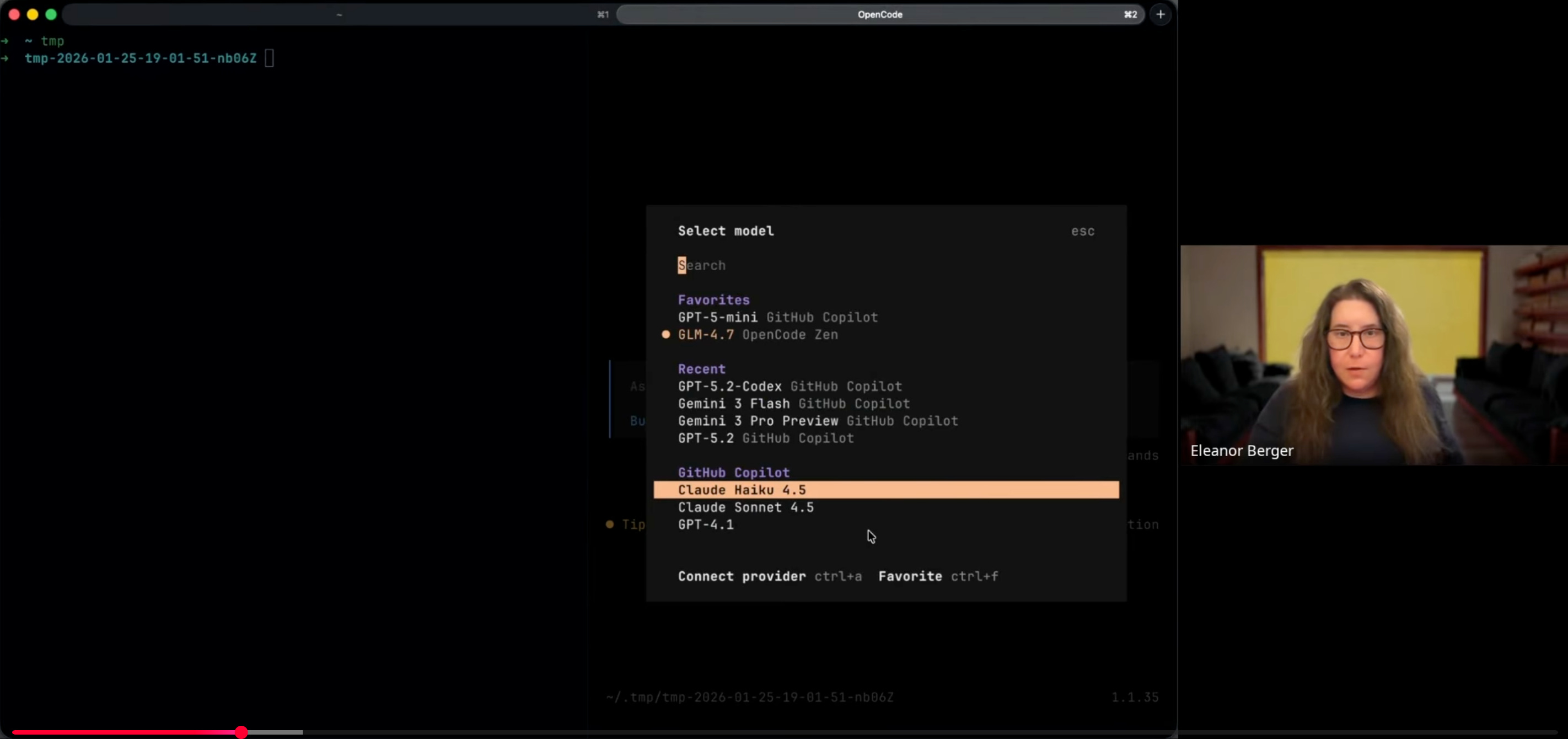
This lets expensive models handle architecture while cheaper models handle implementation. Eleanor uses GLM-4.7 through OpenCode Zen, which runs an optimized version in the United States, though you could just as easily run it locally or through another host.
Live Demo: The Agentic Workflow
Eleanor demonstrated building a functional agent from an empty directory, showing several useful features in OpenCode.
Project Initialization
Starting in an empty directory, Eleanor used the Here Be Git skill to initialize the repository instead of manually creating configuration files. This is a workflow she runs several times a day when starting new projects — the skill handles the boilerplate and asks about preferences (like whether to include commit instructions for the agent).
“I have a skill helping it and I want to initialize a Git repository and some basic agent instructions. Ask me would you like me to add instructions for the agent to always commit? Yes, please.”
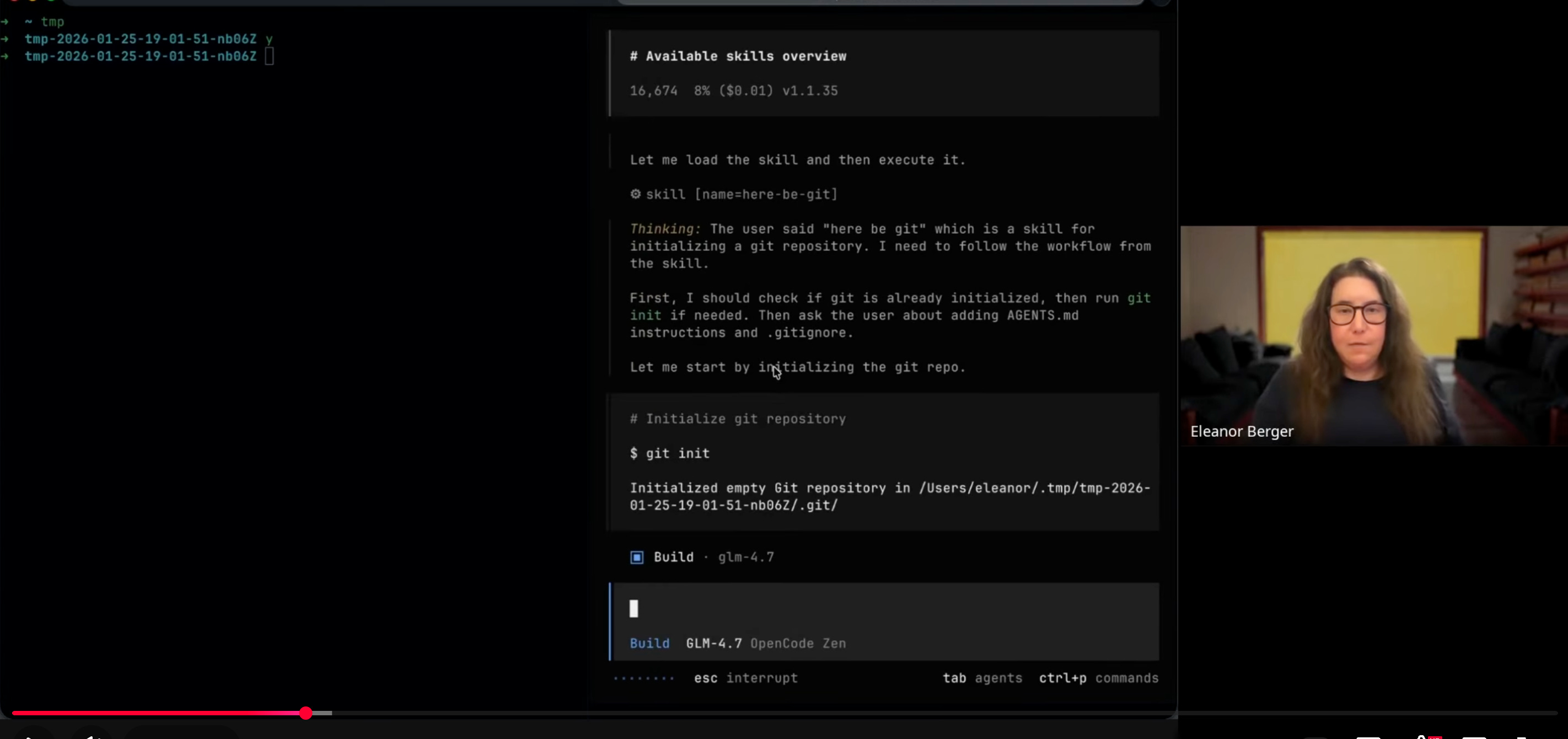
This generated an AGENTS.md file (for persistent agent instructions) and a .gitignore. It’s an “agent-native” project structure where AI instructions are committed alongside the code.
Planning vs. Building
In tools like Claude Code, “Plan Mode” is read-only to prevent the agent from writing code prematurely. When asked if OpenCode has a similar feature, Eleanor said modern models have made it redundant for her.
“I think plan mode was interesting in the past because models were not behaved enough ... to not make any changes ... I don’t think this is a problem anymore and so I never bother because maybe um I don’t know I just don’t find that they need to I just plan and write plan themselves...”
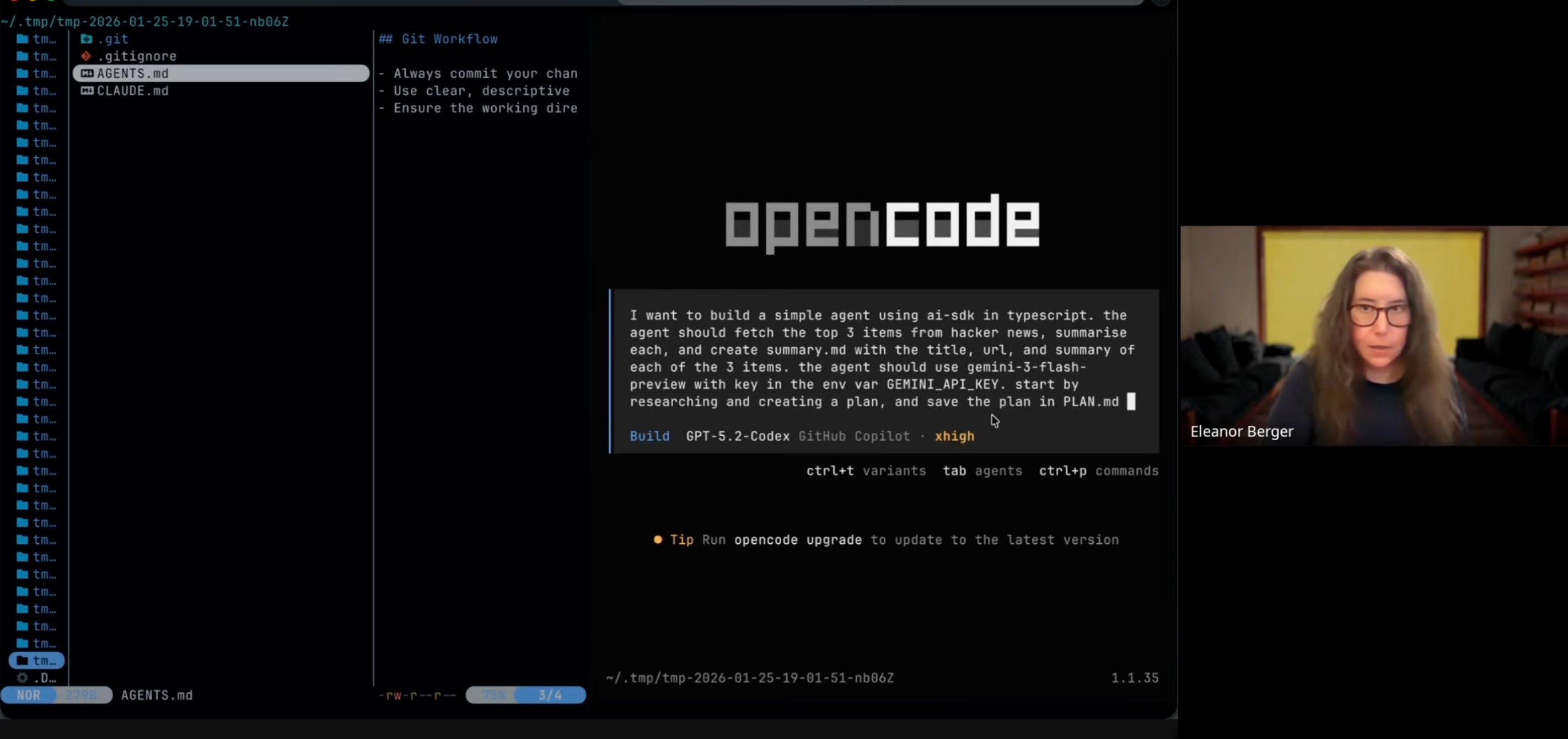
Instead, she just tells the agent to “write a plan,” relying on the model to produce a PLAN.md without modifying code. Better models mean simpler tools — hard guardrails aren’t needed for behaviors models can self-regulate.
Executing an “Agentic Task”
For the main demo, Eleanor built a summarizer agent using the Vercel AI SDK, using different models for each phase:
Planning Phase: She engaged GPT-5.2 Codex (Extra High) to analyze the requirements and draft a detailed plan.
Execution Phase: She switched to GLM-4.7 to implement the code based on that plan.
The prompt provided to the agent was specific:
“build a simple agent ... using AI SDK and TypeScript. The agent should fetch the top three items ... create summary MD with the title, URL and summary of each.”
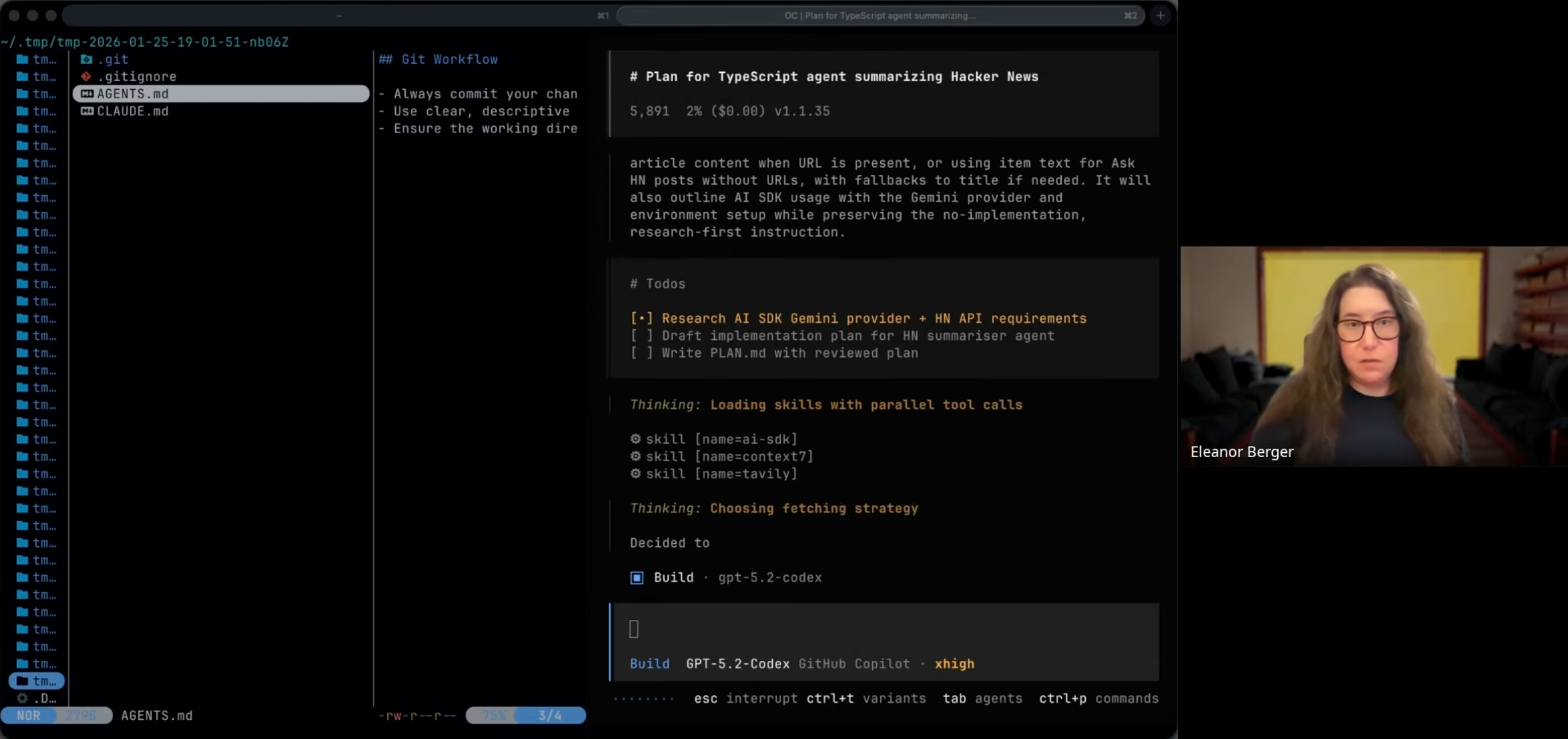
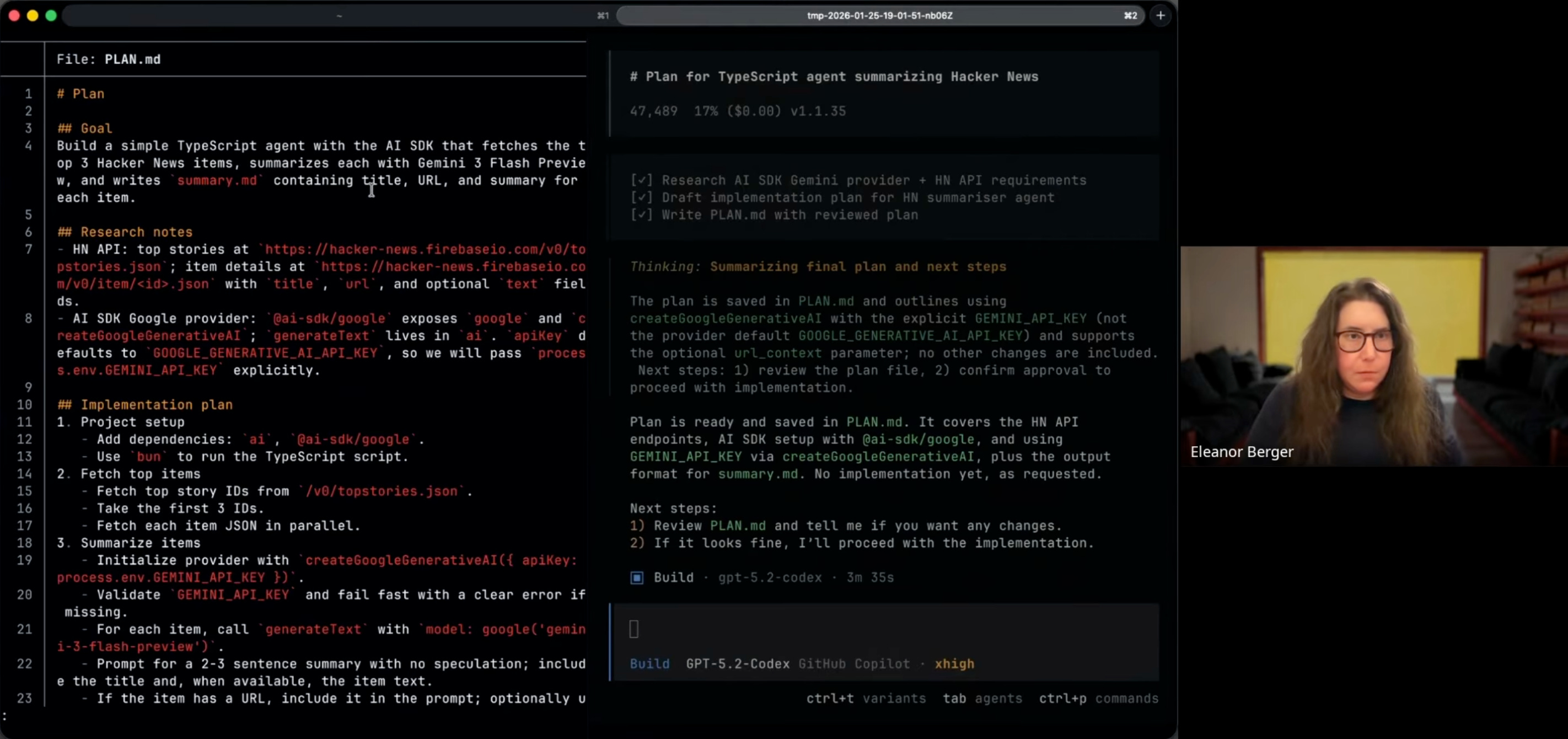
The agent picked up relevant skills automatically — including the AI SDK skill for framework documentation and the Context7 skill for library lookups — and did thorough research before writing code. The high-intelligence model produced a PLAN.md, and the fast model executed it — fetching documentation, writing TypeScript, and debugging. OpenCode showed the familiar agentic patterns: a live todo list, bash command execution, and file operations, all rendered in its polished interface.
“It built an agent for us that is looking quite good. It’s summarizing and it wrote samurai. Nice little example ... It looked so good and it worked with different models.”
Beyond the Terminal: Web and Desktop Interfaces
While OpenCode is terminal-first, Eleanor showed it running in two other environments — more a platform than a single tool.
The Self-Hosted Cloud Agent
Eleanor showed OpenCode running as a web server — her own private instance deployed on Railway.
“So I have here my own little web cloud-based agent completely selfhosted. The model isn’t self hosted but the agent itself is ... actually I got frustrated. There was one day when Claude an outage. I was like I don’t have a backup. So I should my own setup.”
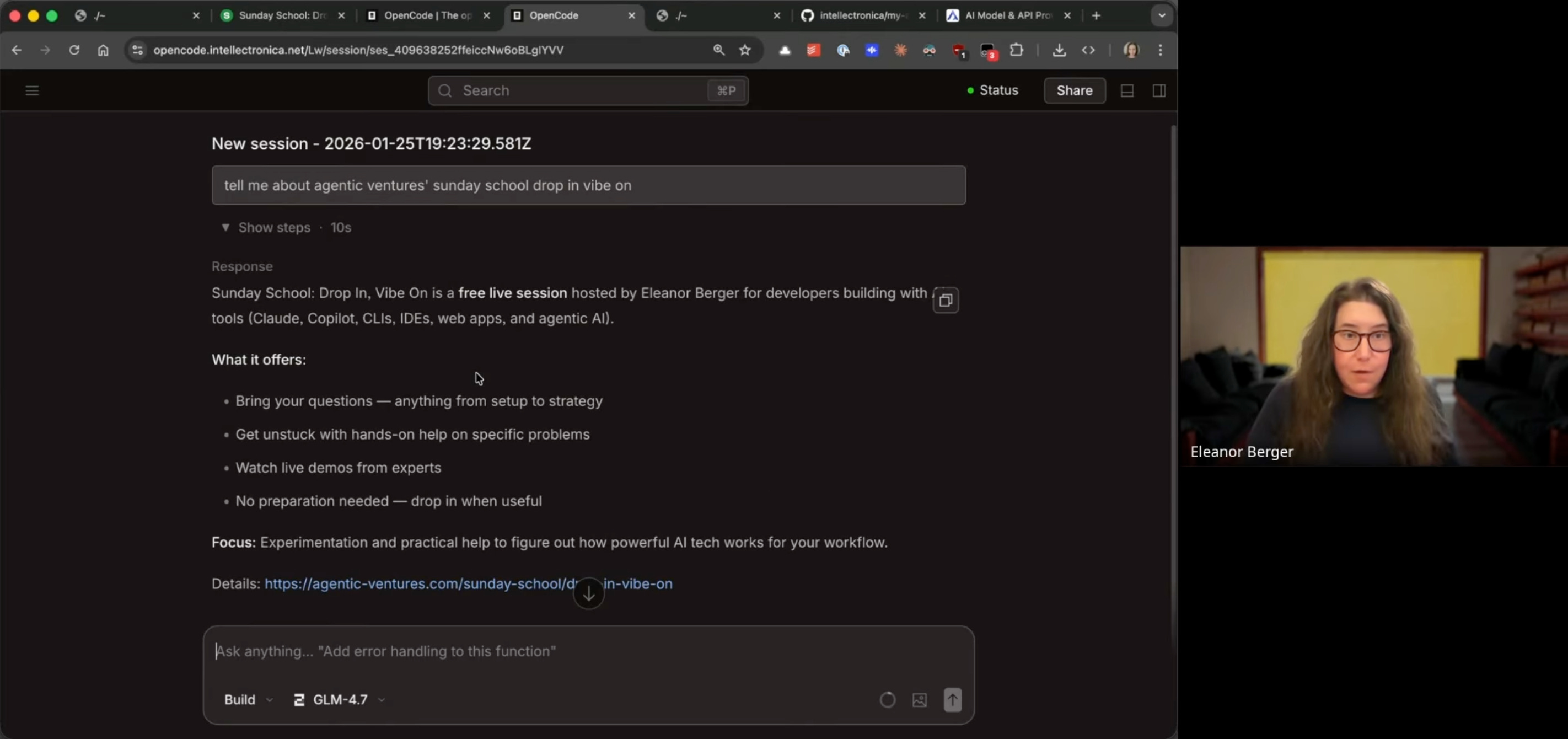
She demoed it live, asking a question about an upcoming topic — the agent found the information and wrote a summary almost instantly using GLM-4.7. The web UI mirrors the terminal experience but is accessible from any browser.
The Desktop Application
Eleanor also showed the OpenCode Desktop App, which she called “the best product” in the desktop agent space. The desktop app wraps the agent in a GUI with window management, theming, a built-in terminal for quick commands, and a diff view for code reviews. It supports multiple projects and sessions, and you can configure it extensively — themes, colors, layouts — to fit your preferences.
“The desktop app it has can switch between different projects and different sessions ... And you can have also this window for code reviews. So if it produces new code or new code changes, you can review them in a very nice diff view.”
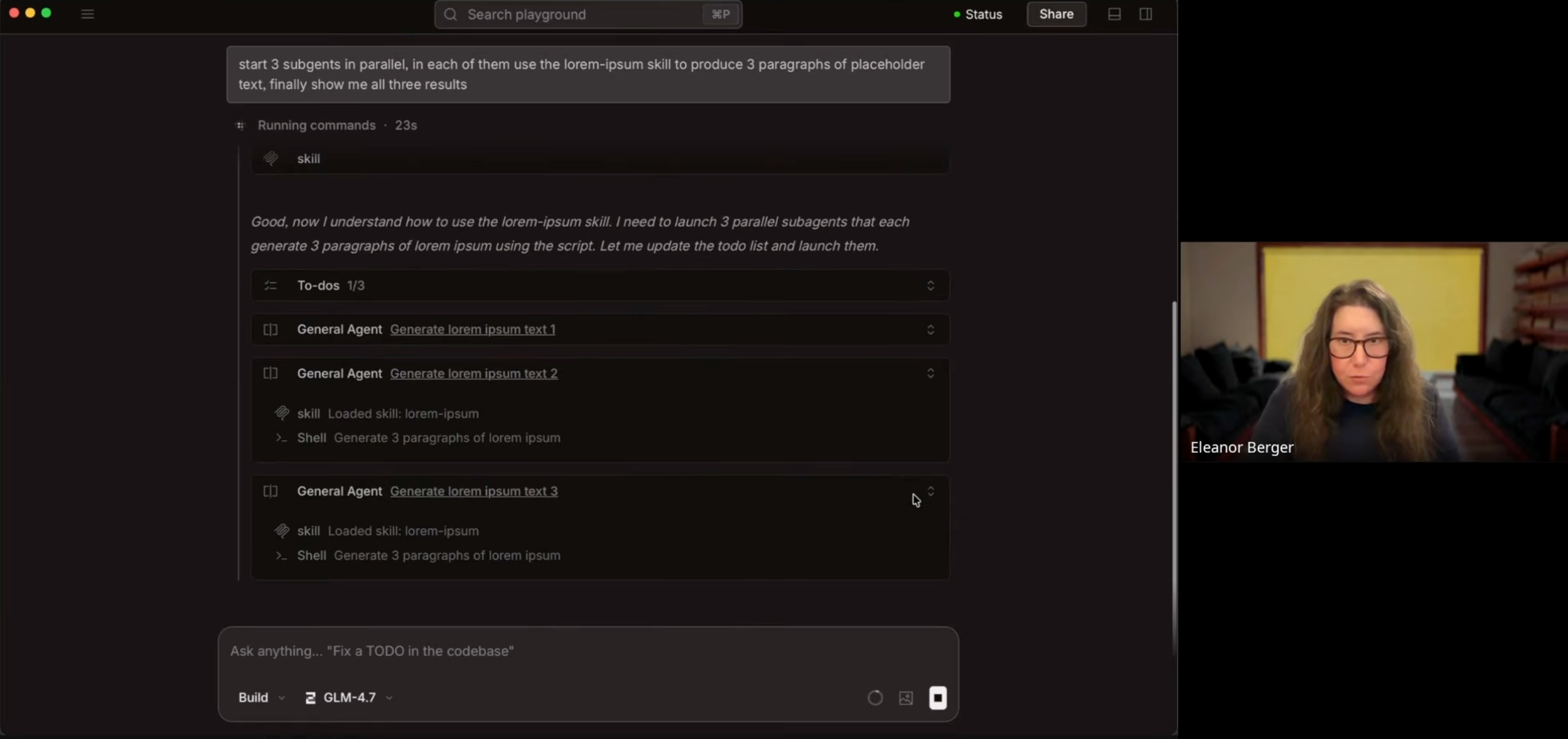
OpenCode supports sub-agents — you can spawn multiple agents to work in parallel. Eleanor demonstrated this in the desktop app, where the interface visualizes each sub-agent’s individual todo list and progress.
“You can always experiment what it does to see the individual to do of each of them. Look out everything and it animate the results. So really nice desktop app.”
Q&A Highlights: Parallelism and Orchestration
Questions from the audience covered OpenCode’s parallel tasks and orchestration capabilities.
Background Tasks and Parallel Workers
One question was about running multiple background tasks in parallel. Eleanor clarified that OpenCode supports parallelism but doesn’t yet offer a managed cloud service layer like Claude Code Web or GitHub Copilot Agent — you orchestrate it yourself. You could connect to your self-hosted server from the desktop app or terminal, but without a cloud-based agent service, managing multiple persistent workers requires your own infrastructure.
“You can. But they don’t has a web service like called code web or codex cloud ... So you’d have to orchestrate it yourself which not sure if it’s worth the effort. ... So maybe that’s something where they still have a new product to build...”
She noted that the desktop app and local setups can drive parallel agents if you have the right setup (like Vibe Kanban or similar orchestration scripts).
“If you have some setup like vibe kanban or something like this, you can also drive open code and parallel agents. It it works just as well as any of the other terminal based agents for this.”
On Plan Mode
Another question asked whether OpenCode has a Plan Mode like Claude Code or Cursor. It does — you can switch between plan mode and build mode. Eleanor just doesn’t use it personally; she prefers to tell the agent to write a plan directly.
“I never used plan mode. I for some reason I don’t find it useful. I think I can just tell the agent write a plan. But if you like this sort of workflow, yes, you have a plan agent.”
She noted that plan mode was more useful when models weren’t as good at following instructions — now they self-regulate, so hard guardrails are less necessary. Both approaches are valid.
Conclusion
OpenCode is a mature tool ready for production use — AI assistance without the constraints of a closed ecosystem. Eleanor noted that while she still uses Visual Studio and Claude Code regularly, she finds herself reaching for OpenCode more often.
The UI is polished across all three versions — terminal, desktop, and web — with attention to detail that’s rare in open-source tooling. And it’s feature-complete: skills, sub-agents, todo lists, diff views. Everything you’d expect from a modern agent is there.
Mixing models offers cost and performance optimization that single-provider tools can’t match. Self-hosting adds redundancy and control, and the flexibility to swap models is a genuine advantage as the landscape shifts.
As Eleanor summarized:
“really recommend taking a look at open code. First of all, I think it’s a great alternative to some of the commercial tools out there. ... it is indeed good, but open code is a very good option too and they have more less feature parity and the advantage that you have this great choice of different models...”
Eleanor recommended joining the OpenCode Discord to follow development and chat with the community. The developers push updates two or three times a day — a pace that explains the project’s rapid progress.
Good breakdown. I am just starting to build a more intentional AI toolkit for our ops work, and the idea of OpenCode as a “bring your own model” layer really clicks for me.