

A deep dive into CLI tools and Skills with Eleanor Berger and Isaac Flath
In the final live session of the year, Eleanor Berger and Isaac Flath tackled a topic central to advanced agentic workflows: custom tooling. While MCP servers have become a standard for extending agent capabilities, the session focused on alternative, often lighter-weight approaches that can be more effective for personal workflows and specific project needs.
“What we see again and again is that beyond the kind of generic tooling that you can download and install for an agent... you can really get a lot of specialized behavior that’s custom for your project and for your working style with tooling that you write.”
The Case for Custom Tools
The session began by addressing a common hesitation: why build custom tools when so many exist? Isaac explained that developers already create tools for themselves constantly—aliases, scripts, and workflows to make their lives easier. Extending this mindset to AI agents is a natural progression.
“It’s not that it like replaces you... But it’s just there’s a lot of things that agents can do that if they catch 50% of the bugs before they get to you, you can just do a lot more with that—can move a lot faster.”
With modern coding agents, the economics of tool building have changed. Creating a specialized tool no longer requires days of development; it can often be done in minutes, making it viable to build tools even for single-use tasks or specific projects.
CLI Tools: The Simple Powerhouse
Isaac demonstrated the power of simple CLI scripts by building an accessibility checker for a startup idea—a “plant hospice” landing page. Instead of relying on a generic accessibility tool or repeatedly prompting the agent to check for issues, he created a custom script.
Creating Tools with Voice
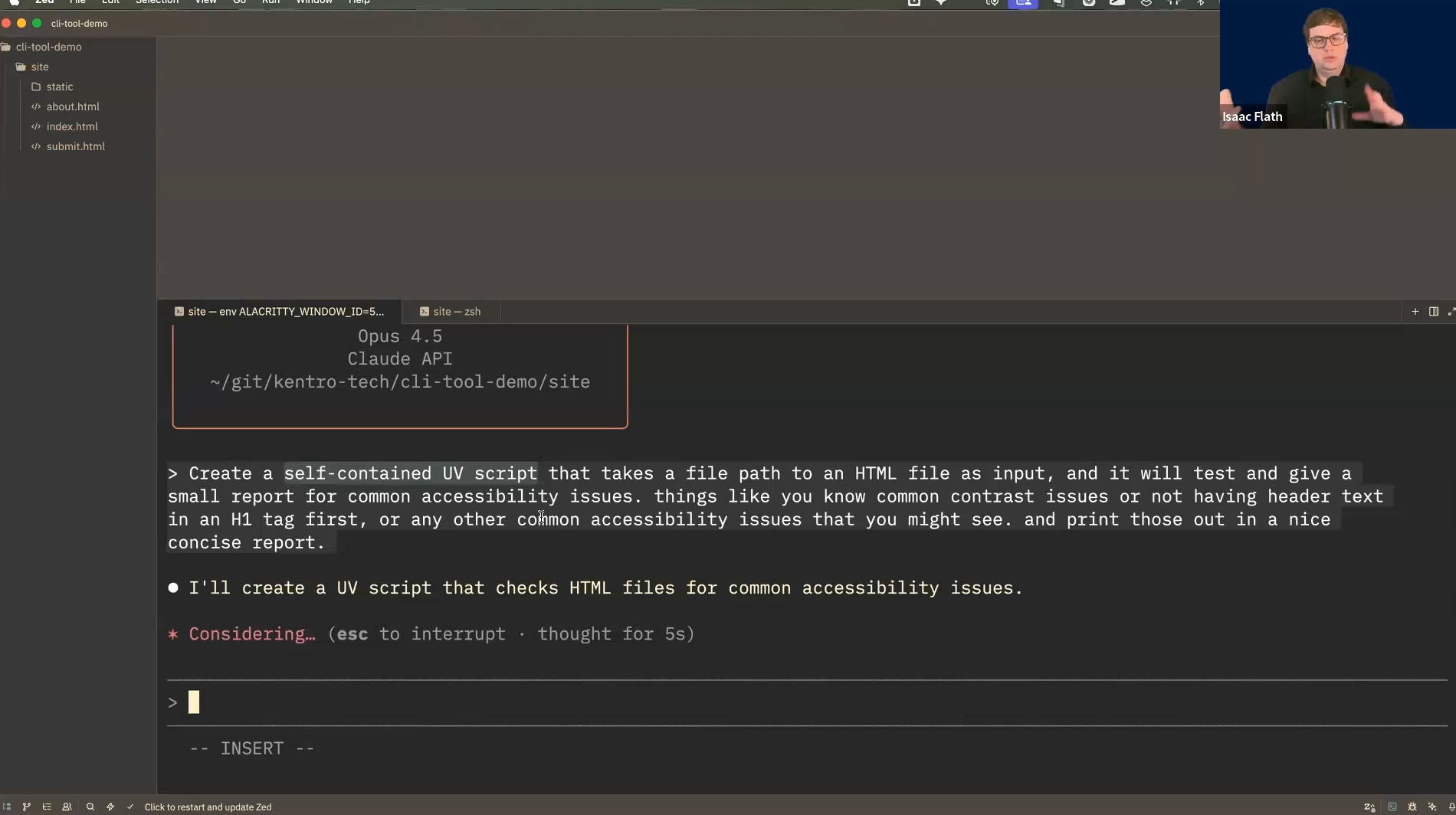
Using voice dictation, Isaac instructed the agent to create a self-contained Python script using uv and BeautifulSoup.
“Create a self-contained UV script that takes a file path to an HTML file as input and it will test and give a small report for common accessibility issues...”
The resulting script, a11y-check.py, was self-contained, meaning all dependencies were defined within the script itself. This approach keeps the main project’s dependencies clean and makes the tool portable across different projects.
Integrating with the Agent
To make the agent aware of the new tool, Isaac added an entry to his CLAUDE.md (or AGENTS.md) file:
“For accessibility testing, use the a11y-check.py file. That is a script that takes in a file path to an HTML and tests for common accessibility issues. Use this whenever you are testing accessibility which should definitely be whenever you are deploying.”
This simple instruction allows the agent to autonomously decide when to run the tool, ensuring consistent checks without constant user reminders.

Manual Planning with Markdown
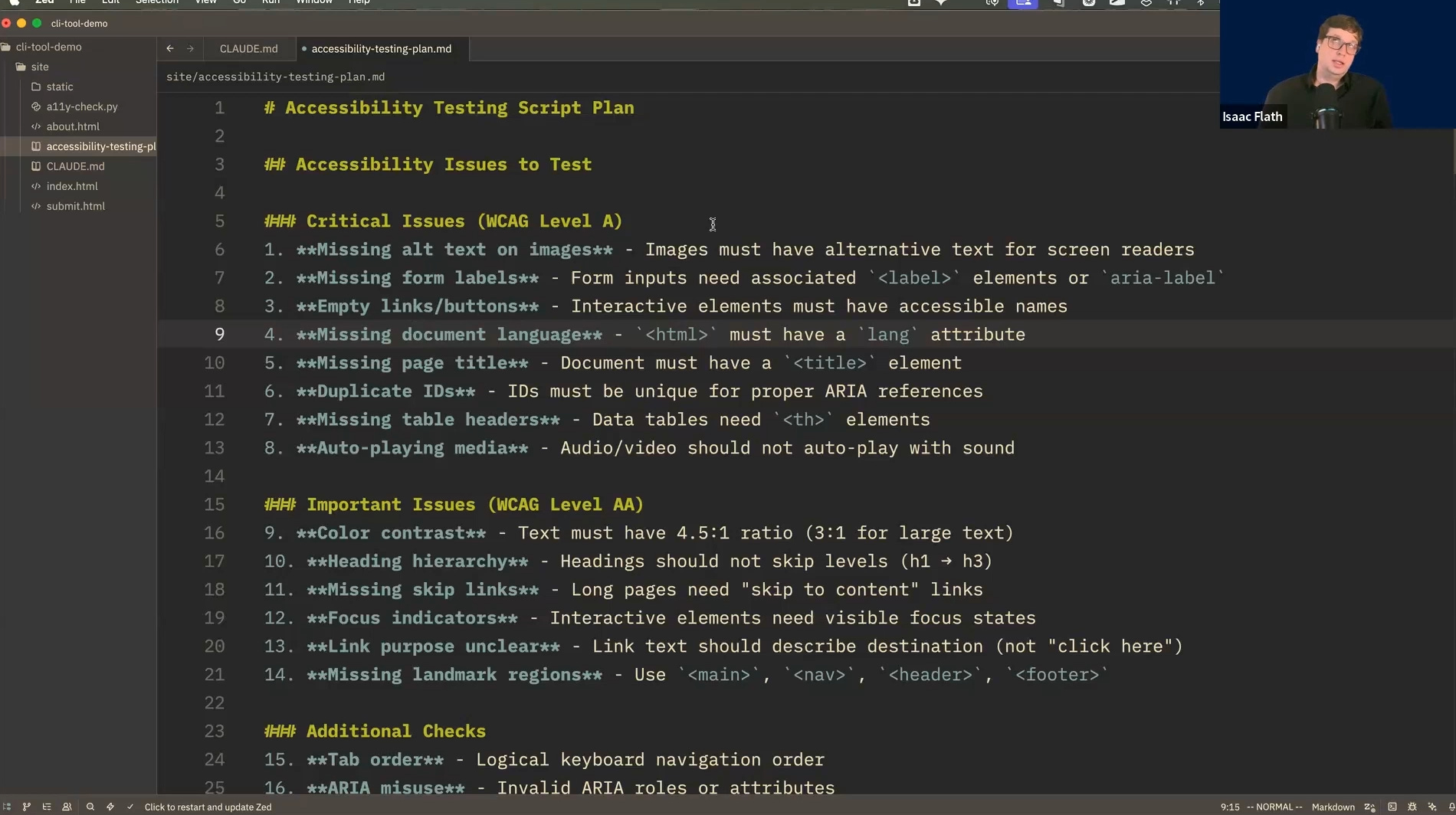
Isaac also shared his “manual plan mode” workflow. Instead of relying on an agent’s built-in planning capability, he often asks the agent to generate a plan in a Markdown file.
“I like getting it all into markdown files and being very specific that I want this in a markdown file... I find markdown just lets me have a little bit more control.”
This method allows for easy iteration and editing of the plan before any code is written, giving the developer more control over the agent’s direction.
Skills: The Lightweight Alternative
Eleanor introduced Skills, a format originally published by Anthropic. Skills offer a way to package instructions and code for agents without the overhead of a full MCP server.
“The realization behind it is that now that we have agents that are quite reliable and sophisticated... you can just give them instructions and code or code snippets and they’ll know what to do. You don’t need to package everything for them as like a process that will run separately.”
Versatility of Skills
Eleanor showcased several custom skills she uses:
Markdown Converter: A wrapper around the
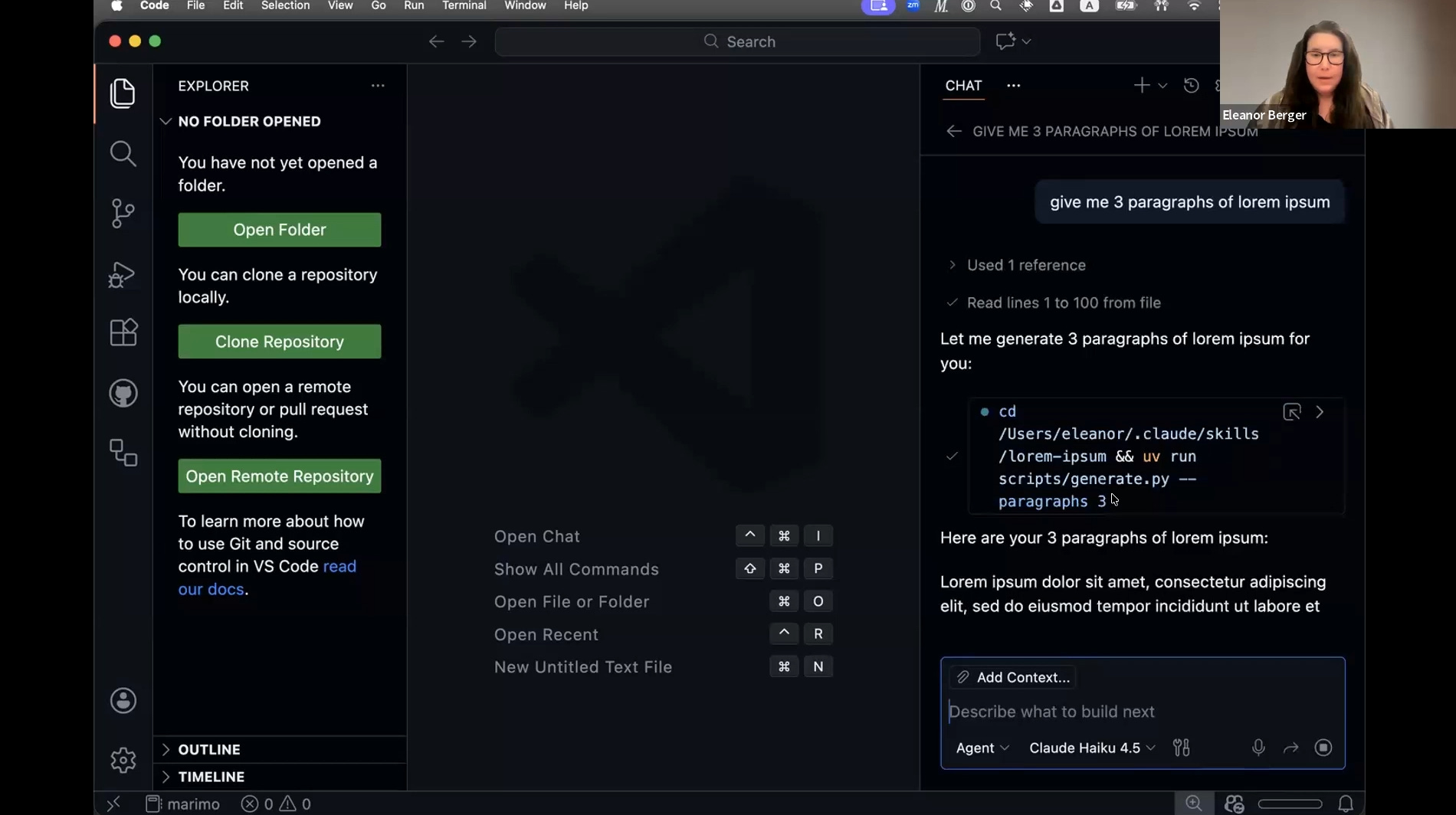
markitdowntool to convert various file formats to Markdown.Lorem Ipsum Generator: A workaround for content protection triggers that sometimes block models from generating placeholder text directly.
Upstash Redis: A skill for interacting with a key-value store via REST, enabling the agent to save and retrieve data across sessions.
GitHub Copilot CLI: A skill to operate the GitHub Copilot CLI, allowing access to different models like GPT-5 from within a Claude session.
Live Demo: Rick and Morty API Skill
To demonstrate the ease of creating skills, Eleanor live-coded a skill for the Rick and Morty API. By simply providing the agent with the API documentation and a voice prompt, she generated a rick-and-morty-info skill.
“I want to create a skill for accessing the Rick and Morty API using REST requests... and the skill should be called rick-and-morty-info and should be triggered when the user is asking questions about characters or episodes...”
The agent created the skill structure, including the necessary metadata. Once created, the agent immediately understood how to use it to answer questions about specific episodes, demonstrating how quickly an API wrapper can be built and integrated.

Best Practices and Insights
The Q&A session highlighted several key considerations for working with custom tools and skills.
Discoverability is Key
For an agent to use a skill or tool effectively, the description is paramount.
“The description. This is the most important thing because that’s all your agent sees until it decides to load this skill.”
Both Eleanor and Isaac emphasized iterating on descriptions. If an agent fails to use a tool when appropriate, updating the description to be more explicit about the triggers usually solves the problem.
Context Management
Skills can help reduce context bloat compared to MCP servers. Since the agent only sees the skill’s metadata initially, the full code and instructions are only loaded when the skill is actually used.
“In practice you know if you have a context window of 100,000 tokens and you have 100 skills which are each like a line of text, I don’t think that’s an issue. That’s nothing like the kind of bloat you get with MCP servers.”
Security Considerations
When discussing “production-grade” software versus local development, the distinction in security practices is crucial.
“There’s a difference between an agent I’m running on my laptop for doing some coding versus if you’re doing something you’re going to deploy... then you should control directly what’s included and not have like sort of a dumping ground for all the MCP servers and skills.”
Conclusion
The session underscored that while standard tools are useful, the true power of AI agents is unlocked when they are customized to fit specific workflows. Whether through simple CLI scripts or the more structured Skills format, developers can now build their own tooling infrastructure in minutes, creating a personalized and highly efficient development environment.
“If there’s one thing I’m taking from the session today is... you can also just do things.”
As the ecosystem evolves, the barrier to creating these custom extensions continues to lower, inviting all developers to become toolmakers for their AI agents.