

This is an outtake from Sunday School: Drop In, Vibe On.
In this session, Eleanor Berger demonstrated FastMCP Cloud, a platform-as-a-service for MCP servers. The goal was straightforward: build and deploy a remote MCP server using agentic coding, with minimal manual intervention.
Why Remote MCP Servers Matter
Remote MCP servers solve several practical problems. They eliminate fiddly local configurations, enable sharing tools with teammates, and work seamlessly across different environments — including cloud-based AI tools like Claude’s web app or hosted GitHub Copilot agents that only support remote MCP connections.
“If you have some tool that you want to create and share with others, or you just like this kind of setup where you don’t have something fiddly running on your machine — or even if you have some information like you want to do a front end for a database that you could share with your team — that’s very convenient.”
The Setup: A Countries Database MCP
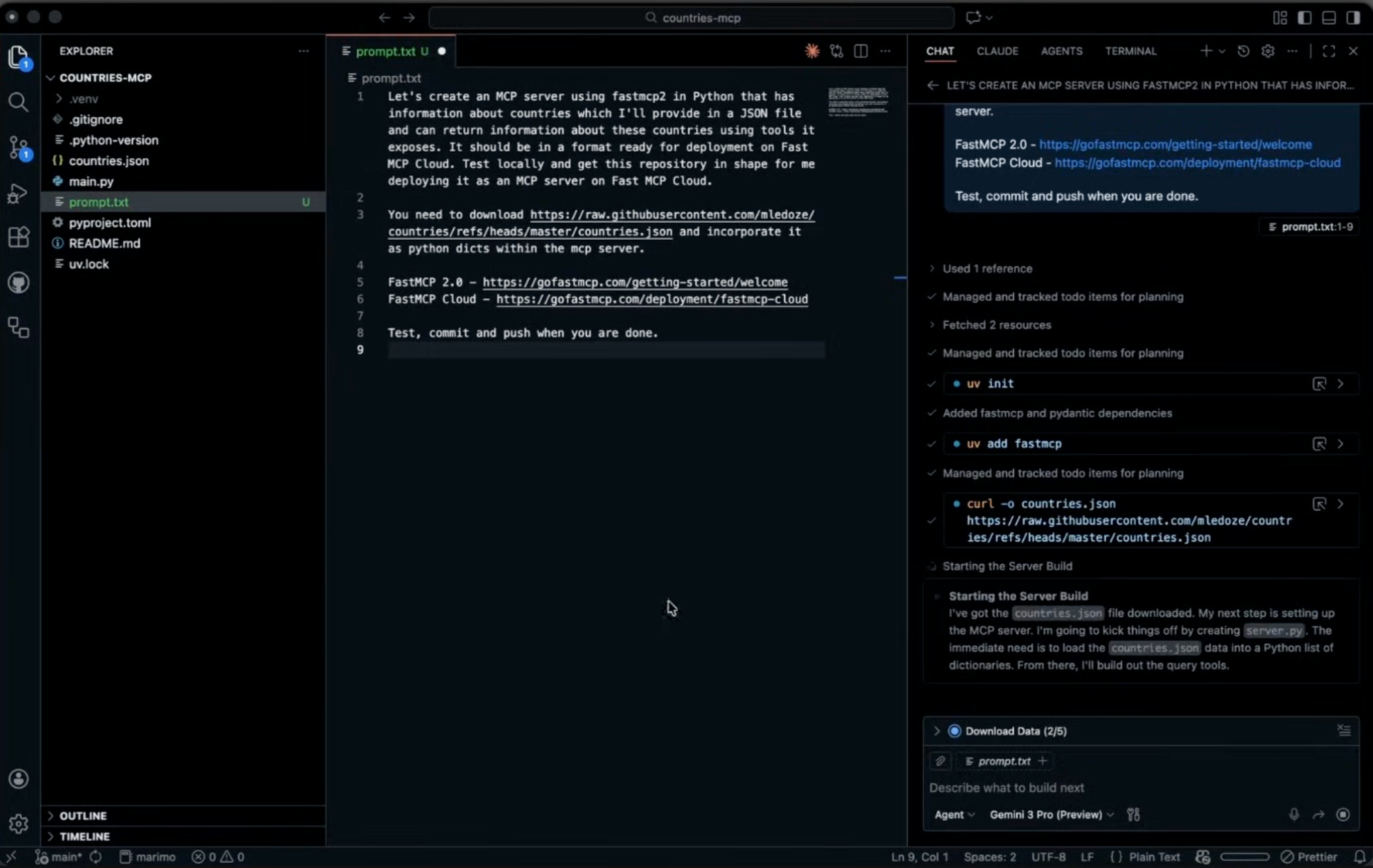
Eleanor’s demonstration project was intentionally simple: an MCP server that exposes tools for querying country information from a JSON database. She created a new GitHub repository, added a Python .gitignore, and opened it in VS Code.
The prompt she gave the AI agent was minimal:
Create an MCP server with FastMCP (the standard Python library for MCP servers)
The server should provide information about countries from a provided JSON file
Format it for deployment on FastMCP Cloud
Test locally, then push to the repository
She also included links to MCP documentation and FastMCP Cloud docs. That was it — no AGENTS.md, no elaborate specification, no custom rules.
“Not the most sophisticated spec-driven whatever development. I didn’t do any customization. I don’t have AGENTS.md. Maybe we can still get it to work.”
Watching the Agent Work
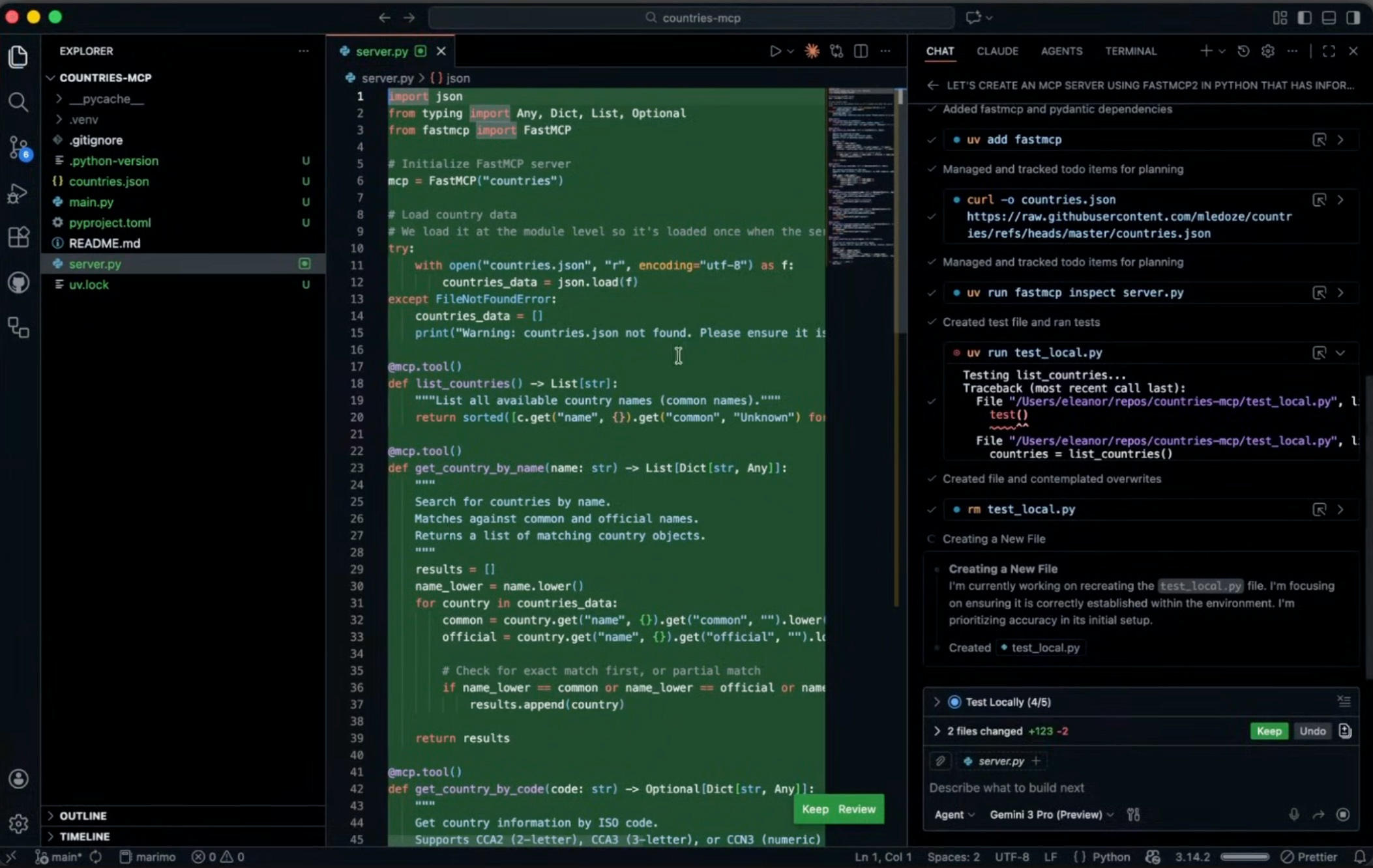
Eleanor used Gemini 3 Pro for the coding session. The model read the JSON data, wrote the MCP server code, created a proper pyproject.toml for uv, and began testing.
When tests failed, the agent fixed the issues autonomously. It read documentation, debugged errors, and eventually committed and pushed everything to GitHub.
“It went and read the documentation somewhere. I guess it downloaded files for the data, and it wrote the code, and then it tested it, and something didn’t work. So it fixed it, and eventually it committed everything and it pushed it to my GitHub repository.”
Eleanor noted this level of autonomous problem-solving would not have been possible even six months prior:
“This is stuff I did not see happening not a year ago, not even half a year ago, but now with Gemini 3 Pro — and the instructions I’ve given were really minimalistic — it really figured out a lot of things by itself.”
Deploying to FastMCP Cloud
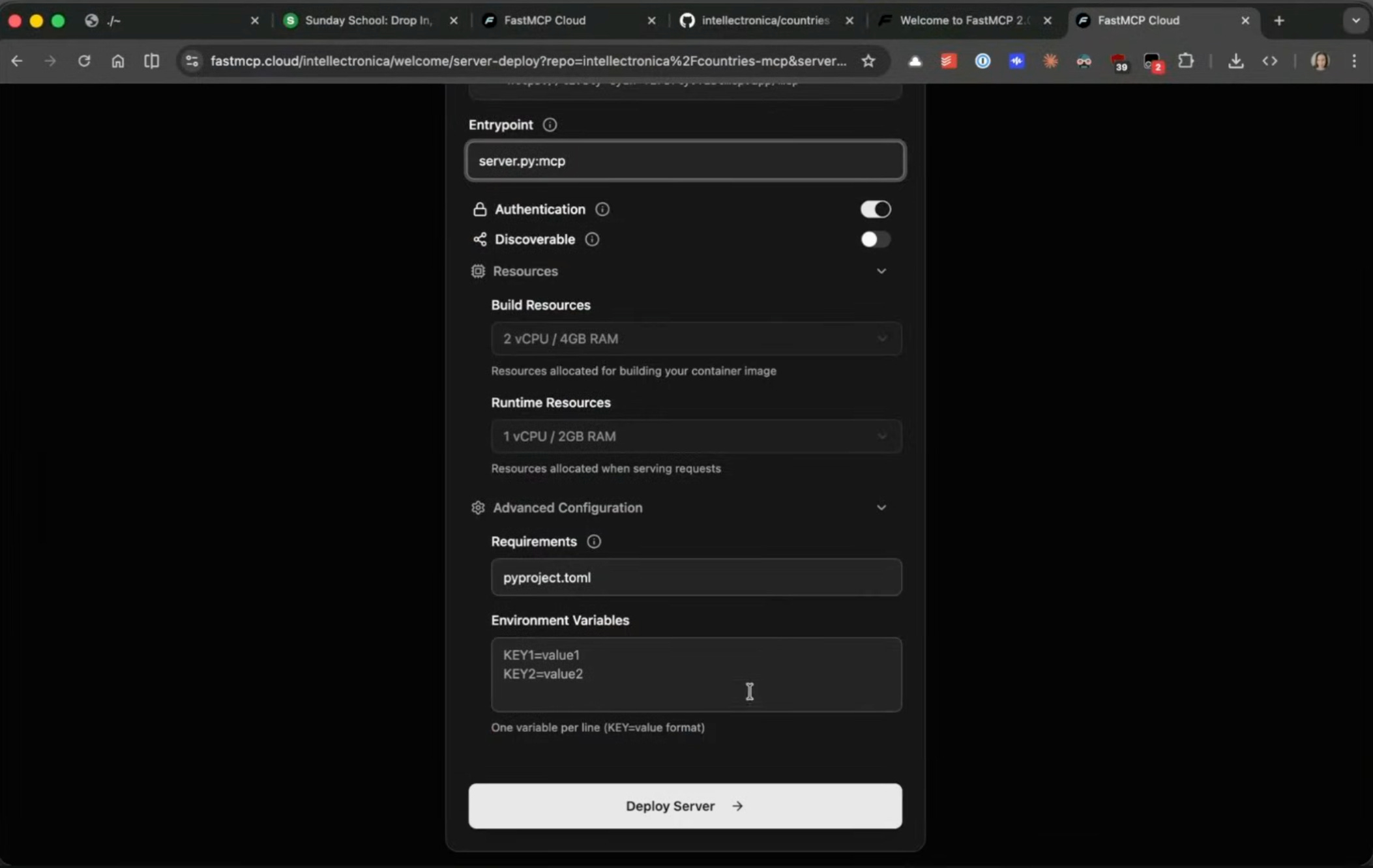
With the code pushed to GitHub, deployment was a matter of clicking through the FastMCP Cloud interface:
Select the repository — The GitHub repo created by the agent
Configure authentication — Eleanor chose private authentication since this was a personal tool
Set the entry point — Point to
server.pyDeploy
The platform handles the rest: building a Docker container, fetching code from GitHub, and deploying. It also supports continuous deployment — changes pushed to GitHub automatically trigger rebuilds.
“This is, by the way, free. They have enterprise packages which you can pay some money for, but if you’re only doing something simple like this, they let you use it for free, which is very nice of them. They promise that it’s free forever.”
The free tier includes 1 million requests and 1,000 compute minutes — sufficient for personal projects and experimentation.
Testing the Deployed Server
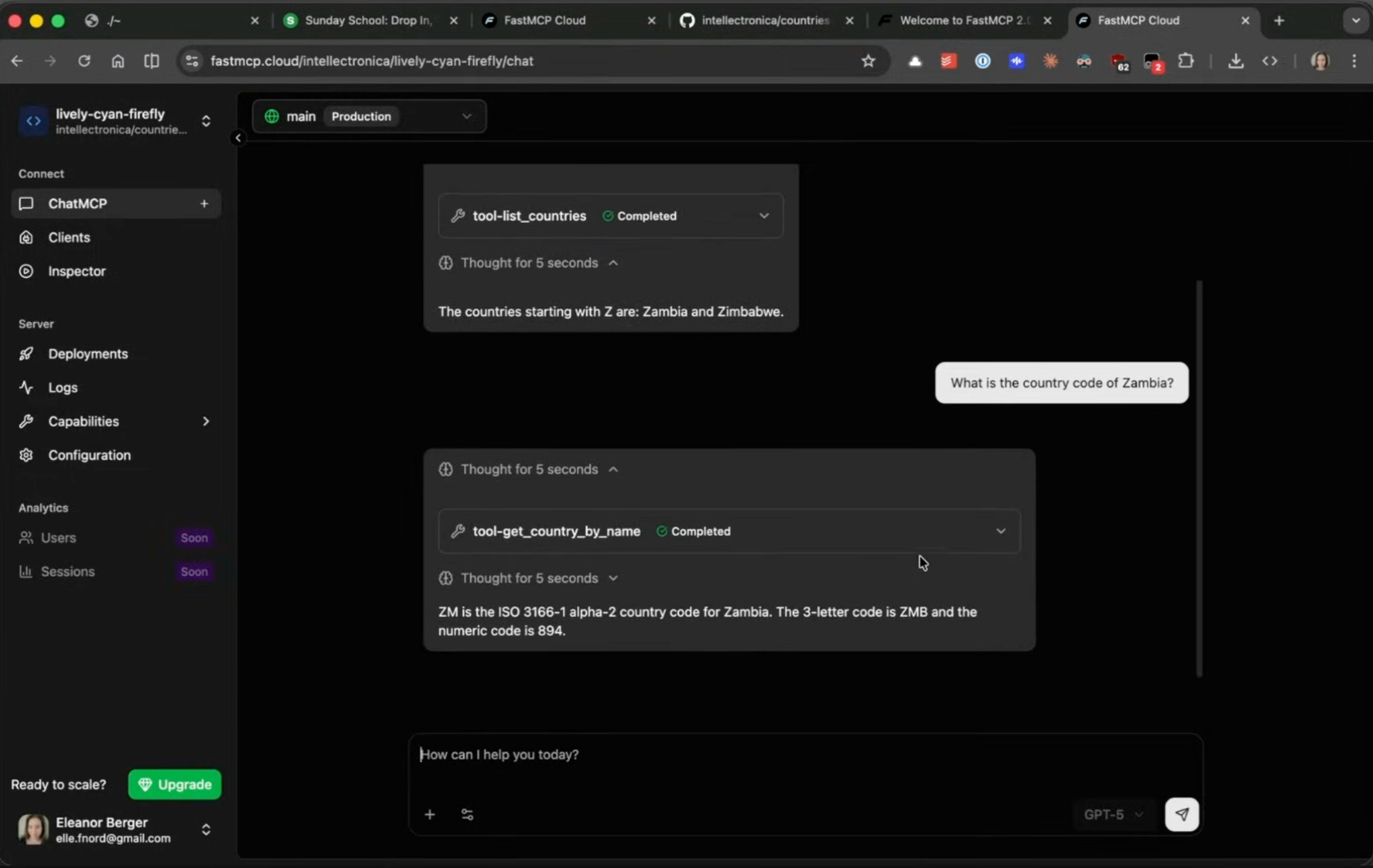
FastMCP Cloud includes a built-in inspector for testing MCP servers. Eleanor’s deployed server exposed several tools that the agent had designed autonomously:
list_countriesget_country_by_nameget_country_by_code...
None of these were specified in the original prompt. The agent inferred sensible tool interfaces from the data structure.
Testing through the inspector worked immediately:
“Give me all the countries starting with Z.”
The server correctly returned Zambia and Zimbabwe. Follow-up queries for country codes and capitals worked as expected.
Connecting to Claude Code
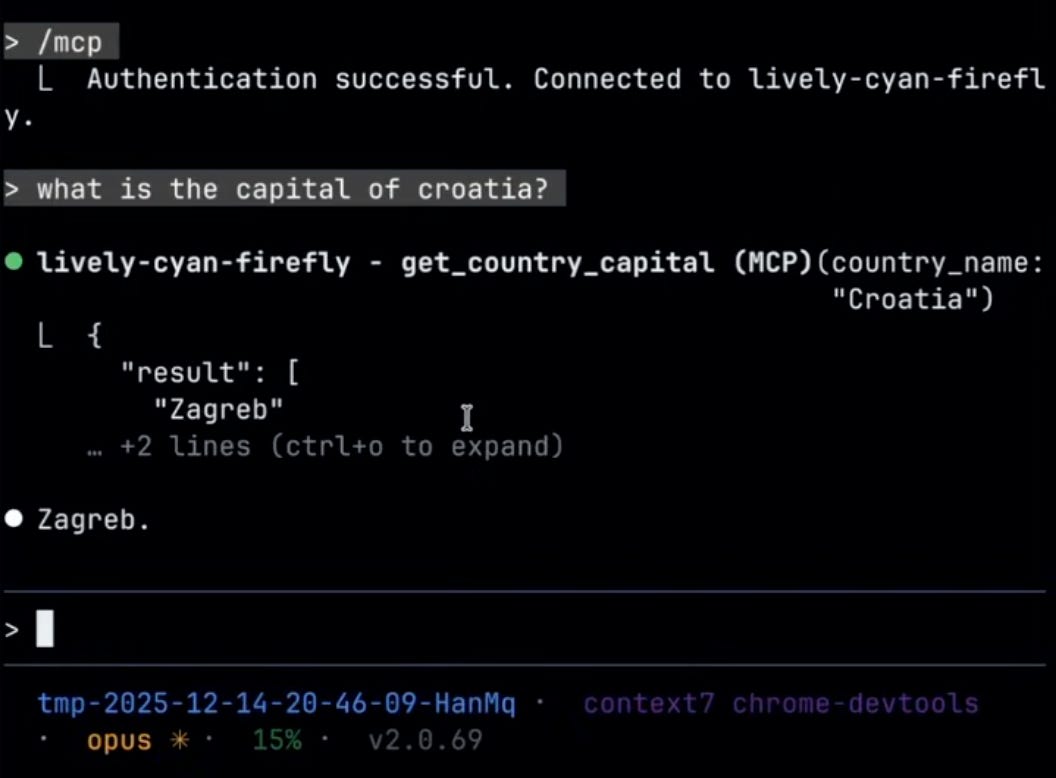
The final step was connecting the deployed MCP server to Claude Code. FastMCP Cloud provides a convenient “Connect to Claude Code” button that generates the exact command needed. Eleanor ran the command, authenticated through the browser (required for remote MCP servers), and immediately had access to the tools.
“So again, what did I want to learn here? First of all, that FastMCP Cloud is a really nice, easy tool to use — mostly for free — just to get a remote MCP server out.”
Key Takeaways
Minimal prompting can work. For simple tools, elaborate specifications are not always necessary. Modern models like Gemini 3 Pro, Claude Sonnet and Opus 4.5, and GPT-5 can figure out sensible implementations from brief descriptions.
The barrier to entry is low. Eleanor emphasized that this approach is accessible to anyone:
“I wanted to be a little bit embarrassing here, but also like to encourage you — because anyone can do it any time. It doesn’t take a lot of work.”
This is not a universal approach. Eleanor was clear about the limitations:
“Not saying this is going to work for every project. This is a toy project. For more complex projects, you probably need to invest a bit more. But even if you don’t, you can do a lot in very low time investment.”
The entire process — from empty repository to deployed, working MCP server connected to Claude Code — took roughly fifteen minutes. For developers curious about MCP servers but hesitant about the setup complexity, FastMCP Cloud offers a notably frictionless entry point.
Sunday School: Drop In, Vibe On sessions are free and open to all. Learn more and join.
I just want to say I'm such a huge fan of these extremely hands-on tutorials you and Isaac share regularly. Even as a producty person / unprofessional engineer, I'm learning so much and consistently find myself making time to watch and follow along. Please keep it coming.